What Playcut actually does
Playcut is a multi-model AI studio for brands and agencies that need consistent video and imagery at production volume. You pick the right model per shot, or take the default: Veo 3.1 and Seedance 2.0 for video, Nano Banana Pro and Nano Banana 2 for stills, Grok Imagine for cheap bulk passes, Lyria 3 for music.
Models from four vendors — Google, xAI, ByteDance and Alibaba — sit behind one interface, on one credit balance, in one workspace. Switching models never means switching tools, re-uploading assets, or paying for another subscription.
On top of the generation primitives sits the operational layer real campaigns need: custom AI actors that hold 100% character consistency, multi-brand brand kits that lock palette and voice, team workspaces with shared and private folders, and an MCP plus API surface for the brands integrating Playcut into their own creative pipelines.
The single biggest difference between Playcut and the rest of the AI video and image category is that we treat consistency as a first-class engineering problem, not a marketing claim.
The studio's identity head training, brand-kit injection, and team-shareable actor library exist because the brands shipping production work need the same actor to land across fifteen products, the same brand palette to read across thirty UGC variants, and the same operational shape to scale from one creator to a forty-person agency. Standalone tools cover one part of that workflow well; Playcut covers the whole loop.
Who Playcut is built for
Three audience types make up most of our paying users.
DTC and consumer brands use Playcut to replace 60-80% of seasonal stock-photo budget with custom AI fashion models, UGC ad variants, and product-in-context imagery. The unlock is reducing per-campaign cost from five figures to three while keeping the visual register the brand's marketing team approves.
Performance creative agencies running paid social for DTC clients re-prompt one saved actor across multi-language UGC briefs to ship 30-50 variants per campaign across multiple geographies, all sharing the same actor identity and brand palette.
Solo creators and freelancers use the Hobby and Pro plans to deliver client work that would otherwise require booking a studio day. The bonus is that the AI actors they build become reusable assets across multiple clients.
We don't try to be the right tool for every use case. If your work is impressionistic editorial fashion photography where the brief is "make it weird and beautiful," Midjourney is still the strongest single tool.
If your work is real-time creator video with a personal-brand component, you should be on TikTok with a phone, not in any AI studio. Playcut is the right tool when consistency, scale, brand-locked output, and team collaboration matter more than per-image stylistic novelty.
How the studio actually fits together
The studio operates in three layers. The bottom layer is the model layer: a picker on every generation, with a sensible default already selected — Nano Banana Pro for stills, Veo 3.1 for video, Qwen for voice. Swap in Seedance 2.0 for 4-to-15-second shots up to 4K, Nano Banana 2 for stills at roughly half the credits, or Grok Imagine when you're generating in bulk.
Nothing is picked for you behind the scenes. The default is a starting point, and the model in the picker is the model that runs.
Every model surface, what each one is genuinely best at, what a render costs in credits and dollars, and what each one refuses to do is laid out on the AI image and video model comparison.
The middle layer is the identity and brand layer: custom AI actors that the studio conditions on every generation, plus brand kits with palette, voice, typography, and logo rules that auto-inject into every prompt.
The top layer is the workspace and team layer: shared folders for collaborative work, private folders for individual exploration, multi-brand brand kits for agencies running multiple clients, and a permissions model that keeps client work isolated.
The MCP server exposes most of the studio's generation primitives as agent-callable tools — the path most users follow when integrating Playcut into Claude, ChatGPT, or Cursor agent workflows. The MCP layer means the same identity and brand consistency you get from the visual studio also applies when an autonomous agent is generating output on your behalf. Read the full MCP and API documentation.
What people actually build with Playcut
A short tour of the most common output types we see ship from real workspaces.
Custom AI actors built once and reused across stills, motion, UGC, and on-product compositing — the cornerstone of the studio. Product photography at scale: drop one clean SKU image, get twelve contextual scenes (lifestyle, studio hero, on-model, environmental, seasonal) without booking a real shoot day.
UGC ad variants: 30-50 short-form vertical creatives per campaign window, each sharing the same actor's face and brand palette, ready for Meta and TikTok ads manager. Multi-language UGC: the same actor delivering the script you rewrite per market, with the video model performing each line — the workflow that replaces hiring a creator per market.
Cinematic narrative video: 6-12 second clips with Veo 3.1, prompted with the seven-slot anatomy our Veo Prompt Builder walks you through. Storyboard-to-finished-cut: plan the shot list with the Storyboard Frame Counter, generate every shot, then stitch in the studio's project view.
The thread running through every output type is that the same brand identity holds across all of it. The actor in your TikTok ad is the actor in your category page is the actor in your seasonal campaign is the actor in your product packaging — same face, same wardrobe, same brand palette.
That continuity is what turns AI generation from a novelty tool into a durable brand asset. It's the single biggest reason Playcut customers stay on the studio for years rather than testing it for a quarter and moving on.
New to Playcut? The step-by-step getting-started guide walks through workspace setup, brand kit, and your first generation in one tutorial — most users have their first shipped asset in under an hour.
The pricing reality at a glance
Plans run Hobby at $9/mo (3 custom AI actors, 500 credits, all studio filters, commercial use), Pro at $29/mo (10 actors, 2,000 credits — the popular tier), Studio at $79/mo (25 actors, 6,000 credits, multi-brand brand kits, up to 4 seats), and Agency at $149/seat/mo (unlimited actors, 10,000 credits per seat, unlimited seats, API access).
Every plan includes commercial use of every output, multi-brand brand kits where applicable, the API and MCP server with 34 tools, text-to-image and text-to-video, image-to-video, voice cloning, and TTS in 10 languages. The 7-day trial is on Hobby — credit card required, cancel anytime. Pro, Studio, and Agency are charged at checkout.
The honest comparison against competitors with equivalent custom-actor capability — Arcads Pro, HeyGen Business, Synthesia Creator — is that Playcut starts at roughly one-fifth the entry price. Full pricing breakdown lives here.
What 100% character consistency actually looks like in production
Consistency is the word every AI video and image tool uses in their marketing — most of them mean "the same general style," not "the same person." The difference matters in a way that only becomes obvious once you're shipping creative at volume.
A campaign that runs eight UGC variants needs the same face across all eight, or the Meta auction starts treating each variant as a new creator and your hold rate fragments. A product page hero that uses one AI model on the category page and a drifting variant on the product detail page reads as two different brands to a returning visitor.
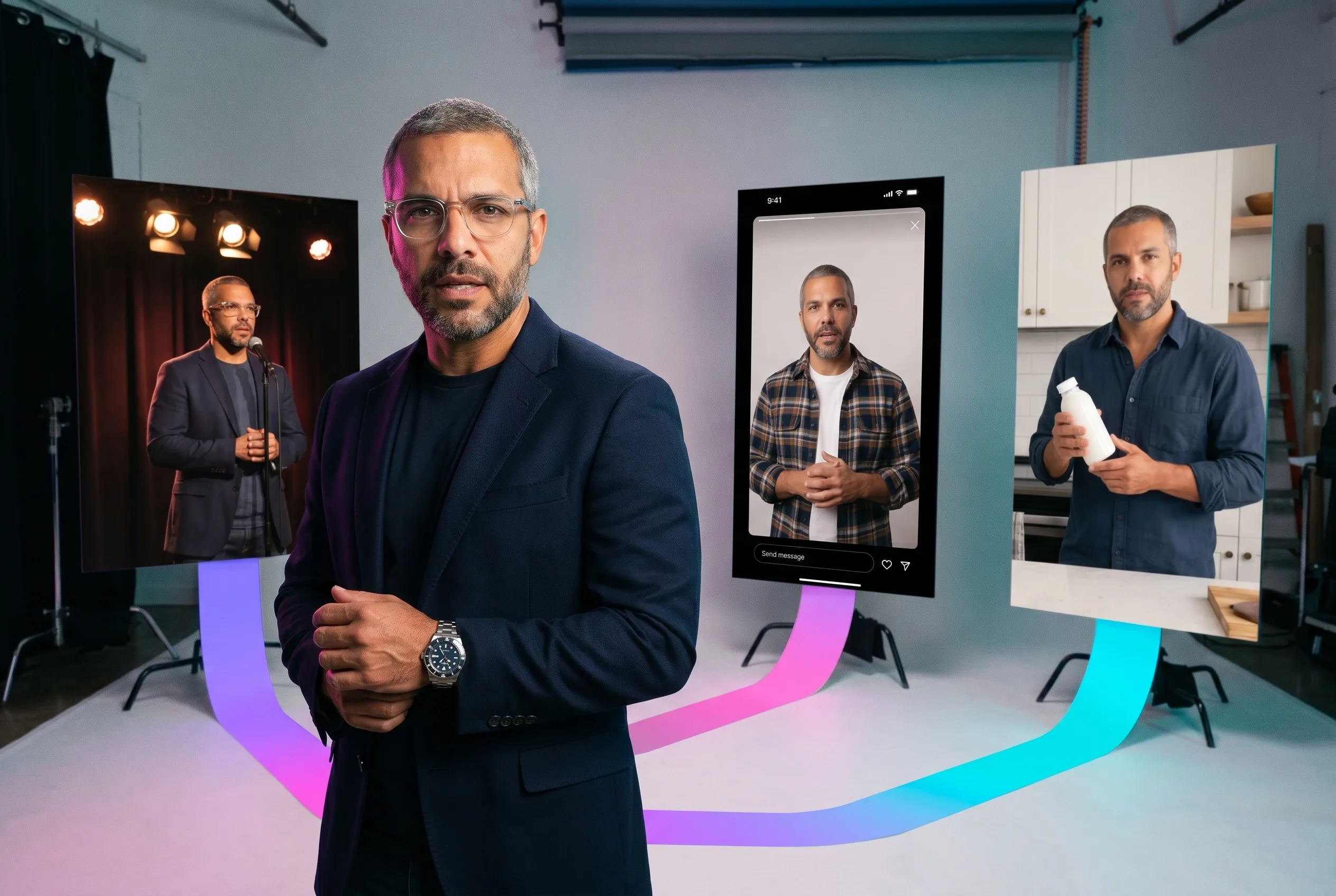
Playcut's identity-head training is what produces the same face across stills, motion video, UGC, and on-product compositing. The actor you build once gets re-injected into every generation as a fixed identity vector, with separate slots for wardrobe, pose, lighting, and environment. The other dimensions are free to vary; the face does not.
We tested this against HeyGen, Synthesia, Higgsfield, Arcads, Lalaland, Botika and Flair.ai on the same 8-shot rubric. Playcut was the only studio that held identity above 7.5/10 on every shot, including the harder cases — backlit silhouette, hands-in-frame product hold, environmental wide. Full methodology lives in the AI actor generators comparison, and the same engine powers our AI avatar generator when you just need the on-camera face.
The practical consequence is that the actor becomes a durable brand asset rather than a per-generation lottery. The actor that lands a winning hook for your spring campaign is the same actor that lands the follow-up hooks, the seasonal restock content, the email creative, and the product page hero.
The face never drifts. That is the entire reason the studio exists, and it's the single biggest reason Playcut customers stay on the platform for years rather than testing it for a quarter and rotating out.