
How to Make AI UGC in 2026: The Measured 8-Step Workflow
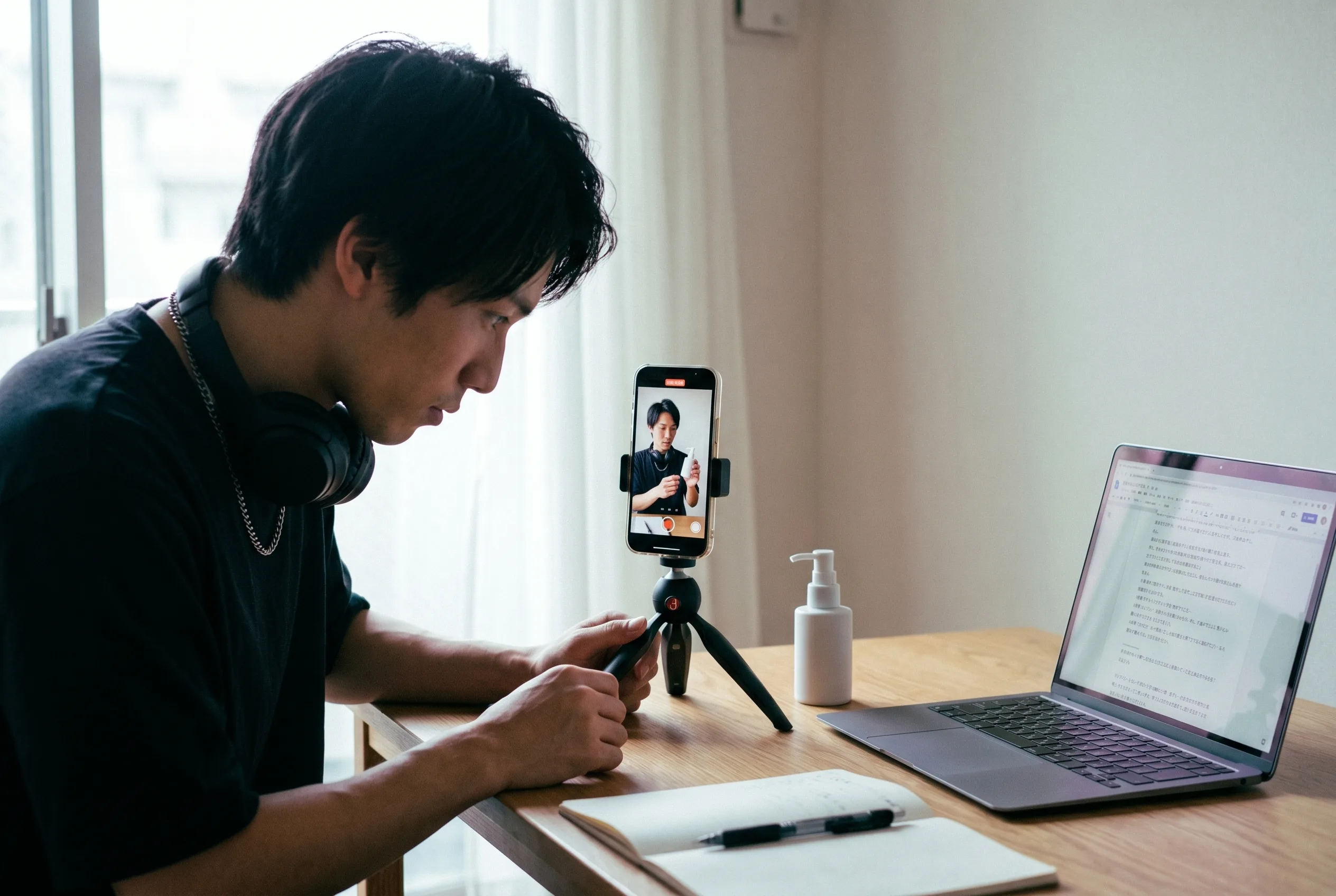
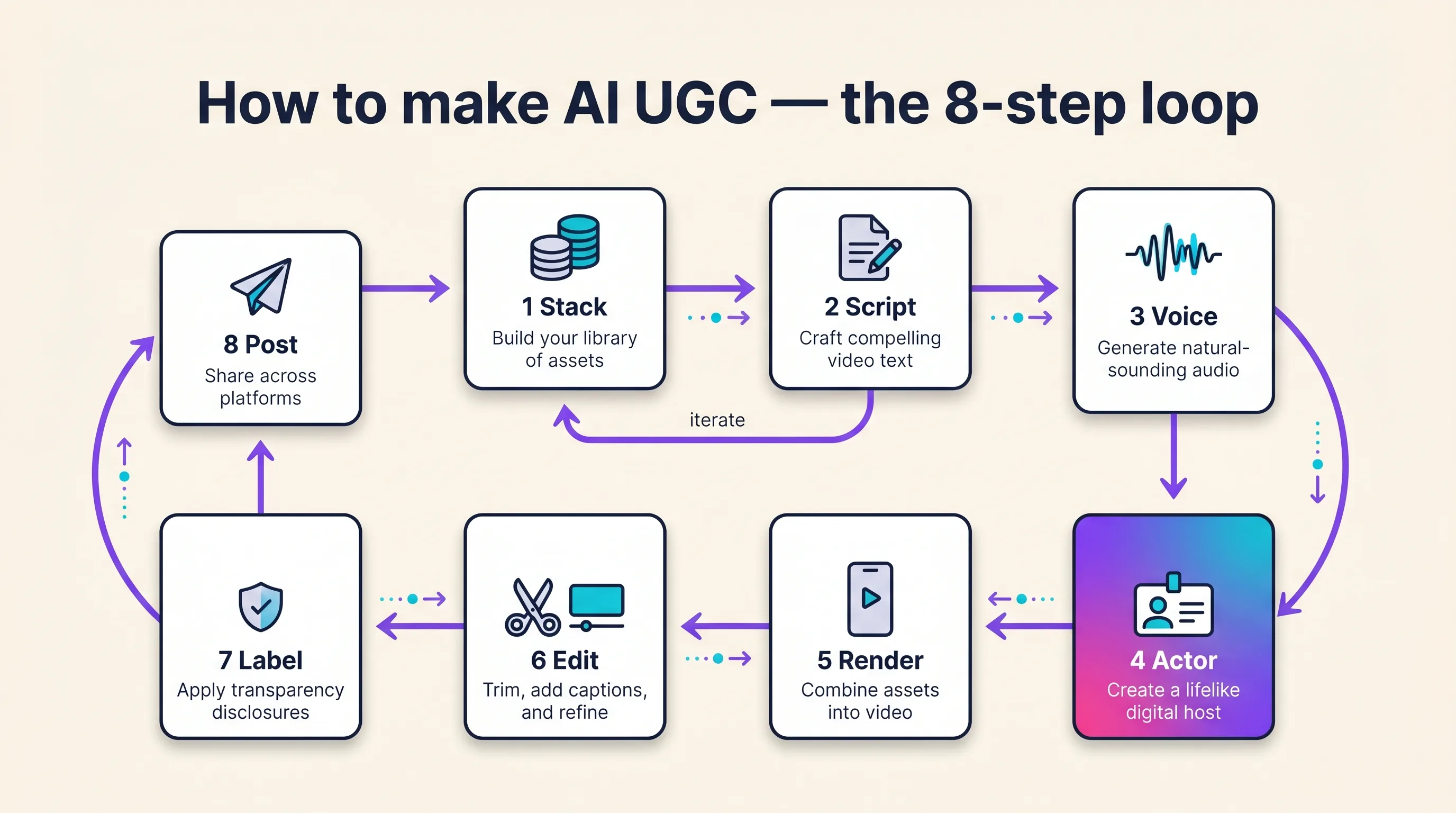
How to make AI UGC in 2026 comes down to eight steps: set up your stack, script, voice, actor, lip-sync render, edit, label, post. We didn’t just write the steps down — we ran them. One person, one chat session, zero filming: a finished, voiced, lip-synced 10-second vertical UGC ad in 6 minutes 34 seconds for $6.48 in credits, with 100% character consistency from the Playcut Actor Engine holding the same face from the hook still to the moving footage.
Every cost in this tutorial is measured, not estimated. The hook still cost 67 credits ($0.97) and the voiced clip 380 credits ($5.51), both verified against the workspace balance to the credit. A full 10-hook test program runs about $26.25 — inside one $29 Pro month. Where other tutorials say “it depends,” this one prints the ledger.
This page is the buttons. The complete AI UGC guide covers what AI UGC is, whether it works, and the four-stage concept loop — start there if you’re still deciding. This tutorial assumes you’ve decided, and walks the actual production run, including the finished ad itself, embedded below exactly as it rendered.
Table of Contents
- How to make AI UGC: the 8-step workflow
- Step 1: Set up your production stack
- Step 2: Write a 40–80 word spoken-register script
- Step 3: Create the voice — and lock it to the actor
- Step 4: Cast your AI actor
- Step 5: Render the lip-synced clip (we timed this one)
- Step 6: Edit — captions, B-roll, and safe-zone crops
- Step 7: Label it as AI-generated (don’t skip this)
- Step 8: Post, test 3–5 variants, and iterate
- 9 AI UGC production mistakes (and the fix for each)
- What it costs to make AI UGC: the measured price ladder
- How we measured these numbers
- How Playcut runs all eight steps in one workspace
- Frequently asked questions
- Conclusion: your first AI UGC ad is one session away
How to make AI UGC: the 8-step workflow
AI UGC production runs in eight chronological steps: set up your stack, write a 40–80 word script, create one locked voice, cast a saved AI actor, render the lip-synced clip, edit captions and B-roll, label it as AI-generated, then post 3–5 variants and iterate. Steps 1–4 are decisions you make once. Steps 5–8 repeat for every batch.
We timed and costed the production core of this loop on June 11, 2026 — one person, one Playcut chat session, brief to finished voiced vertical ad in 6 minutes 34 seconds, $6.48 in credits. Only 3 minutes 46 seconds of that was actual rendering — the rest was thinking time plus one instructive failure, reported in the mistakes section.
Step 1: Set up your production stack
Three decisions before any tool opens: the product (one message per clip), the platform (TikTok, Reels, or Shorts), and the format — 9:16 vertical, 15–30 seconds, hook first. Then pick one of three stacks by budget.
| Layer | $0 demo stack | ~$15/mo budget stack | $50–75/mo pro stack |
|---|---|---|---|
| Script | Free script generators — $0 | Same — $0 | Same — $0 |
| Voice | Free TTS tiers, no cloning — $0 | ElevenLabs Starter, $6/mo by its own pricing | Playcut Voice Engine, bundled in credits |
| Actor | Free avatar tiers — watermarked | Playcut Hobby $9/mo — 3 custom actors, 500 credits | Playcut Pro $29/mo — 10 custom actors, 2,000 credits |
| Lip-sync render | Bundled in the avatar tool | Bundled | Bundled |
| Edit | CapCut free — $0 | CapCut free — $0 | CapCut paid tiers or Captions ($9.99–$24.99/mo, iOS tiers) |
| Label | $0 — platform toggles | $0 | $0 |
The $0 stack is demo-grade, said plainly: free avatar tiers watermark their output, and several exclude commercial rights entirely — fine for practicing the workflow, not for ads with spend behind them. The ~$15 stack is the cheapest ad-safe floor; the pro stack adds custom actors, voice cloning, and credits to batch-test.
This tutorial is tool-agnostic — tools appear as per-step examples, never as a ranking. If you haven’t picked a platform yet, the best AI UGC generators ranking compares the eight that matter. Pick there, produce here.
Step 2: Write a 40–80 word spoken-register script
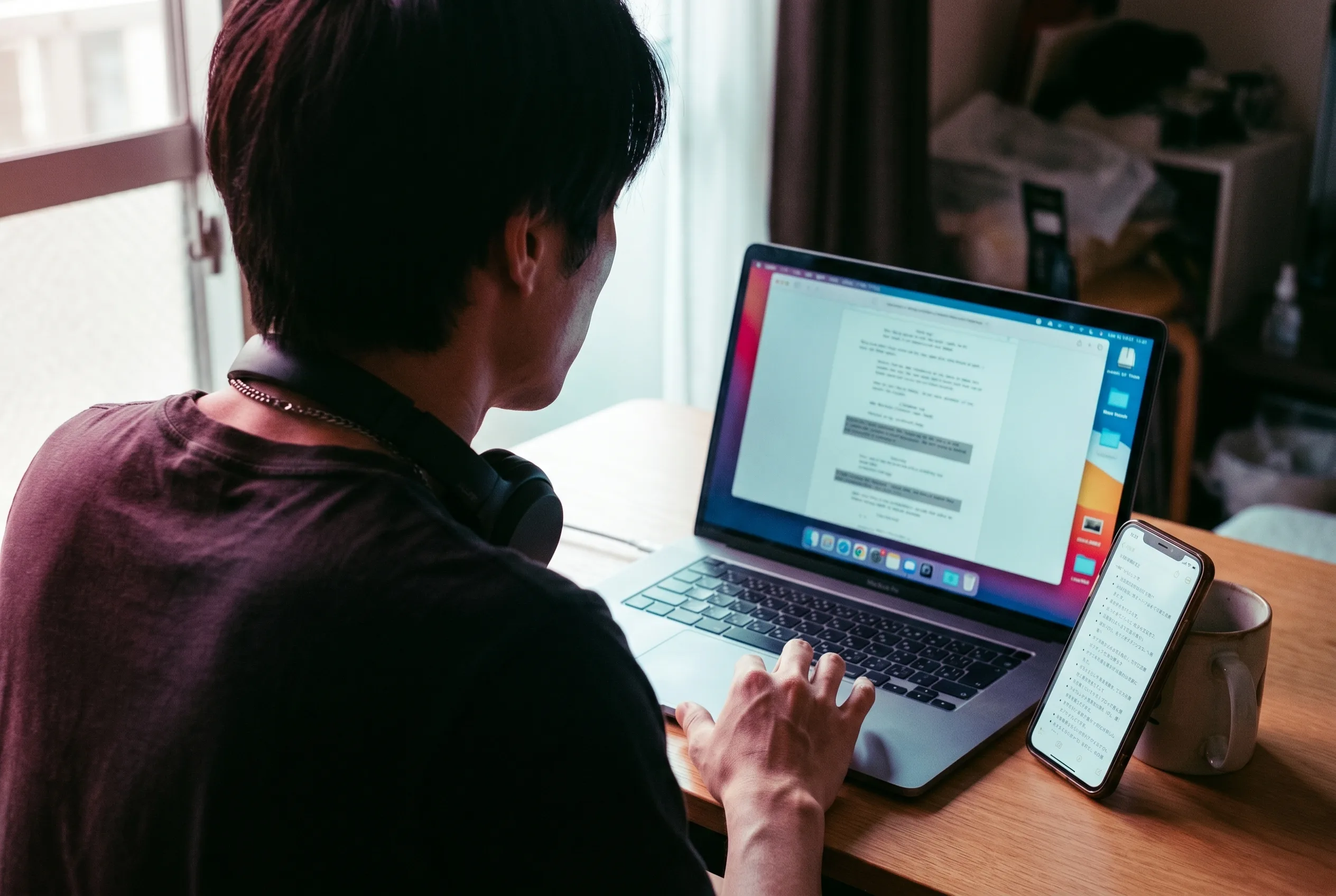
Write 40–80 words the way a person talks, with the hook in the first one to three seconds — then problem, product, call to action. One constraint most tutorials never print: about 25 spoken words fill a 10-second scene, so a 40–80 word script is a two-to-three-scene plan, not one render.
Here is the exact 25-word script from our measured run, sized to a single 10-second scene: “I’ve been testing this matte moisturizer for two weeks, and my skin has never felt this smooth. If yours pills under sunscreen, try this one.” Conversational, one claim, one audience callout — no ad-copy varnish.
Three free tools shortcut this step. The UGC ad script generator turns a product, benefit, and offer into a timestamped, shot-by-shot script. The TikTok hook generator drafts the opening line, and the video script timer converts word count to seconds before you waste a render.
One honesty rule governs the words: an AI actor must never voice a first-person experience claim the brand can’t substantiate — the FTC treats an AI endorser like a human one, and the penalty math lands in step 7. The hook itself does most of the work in paid placements; the AI UGC ads workflow breaks down hook anatomy and the paid testing loop.
Step 3: Create the voice — and lock it to the actor
Pick or clone one voice and lock it to the actor permanently. A new voice per video breaks the persona as badly as a drifting face — viewers register the mismatch even when they can’t name it.
In an integrated studio, this is a menu. The Playcut Voice Engine ships 30+ lip-synced languages with voice cloning, billed inside the render rather than as a separate subscription; our run picked a stock template voice matched to the actor’s persona, and the picking itself cost nothing. In a DIY stack, ElevenLabs is the usual hop — by its own published pricing, the free tier has no cloning, Starter runs $6/month with instant cloning, and Creator $22/month.
The lock rule carries into localization: because lip-sync is phoneme-driven, one saved actor can read the same script in dozens of languages on the same voice identity. Audition voices before the first render, not after the tenth.
Step 4: Cast your AI actor
Your actor is a saved, reusable identity — stock or custom — that delivers every clip. Stock is faster; a custom synthetic persona is yours alone, matches your audience, and never shows up in a competitor’s ads.
On Playcut, custom actors come with every tier — 3 on Hobby, 10 on Pro, 25 on Studio, unlimited on Agency — alongside a 10,000+ template library if you’d rather cast than build. By their own counts, HeyGen ships 1,100+ stock avatars and Creatify 300–1,500 depending on tier. Whichever library you choose, save the identity and reuse it — never re-describe a face per clip.
A fully synthetic persona is the brand-safe default — it resembles no real person, so there’s no likeness to clear. Cloning a real person’s face or voice requires written, use-specific consent, no exceptions. Casting is a bigger decision than one step can hold; Playcut’s AI actors explain the engine that keeps the face identical, and running UGC with AI actors covers why one saved actor beats a rotating stranger.
Step 5: Render the lip-synced clip (we timed this one)
Paste the script, pick the actor and voice, set 9:16 and a 10-second duration, and render. The pipeline composes a scene still, animates it, synthesizes the voice, and lip-syncs the mouth — one task, no separate TTS hop. Speaker-independent lip-sync has been a solved research building block since Wav2Lip; by 2026 it’s one button.
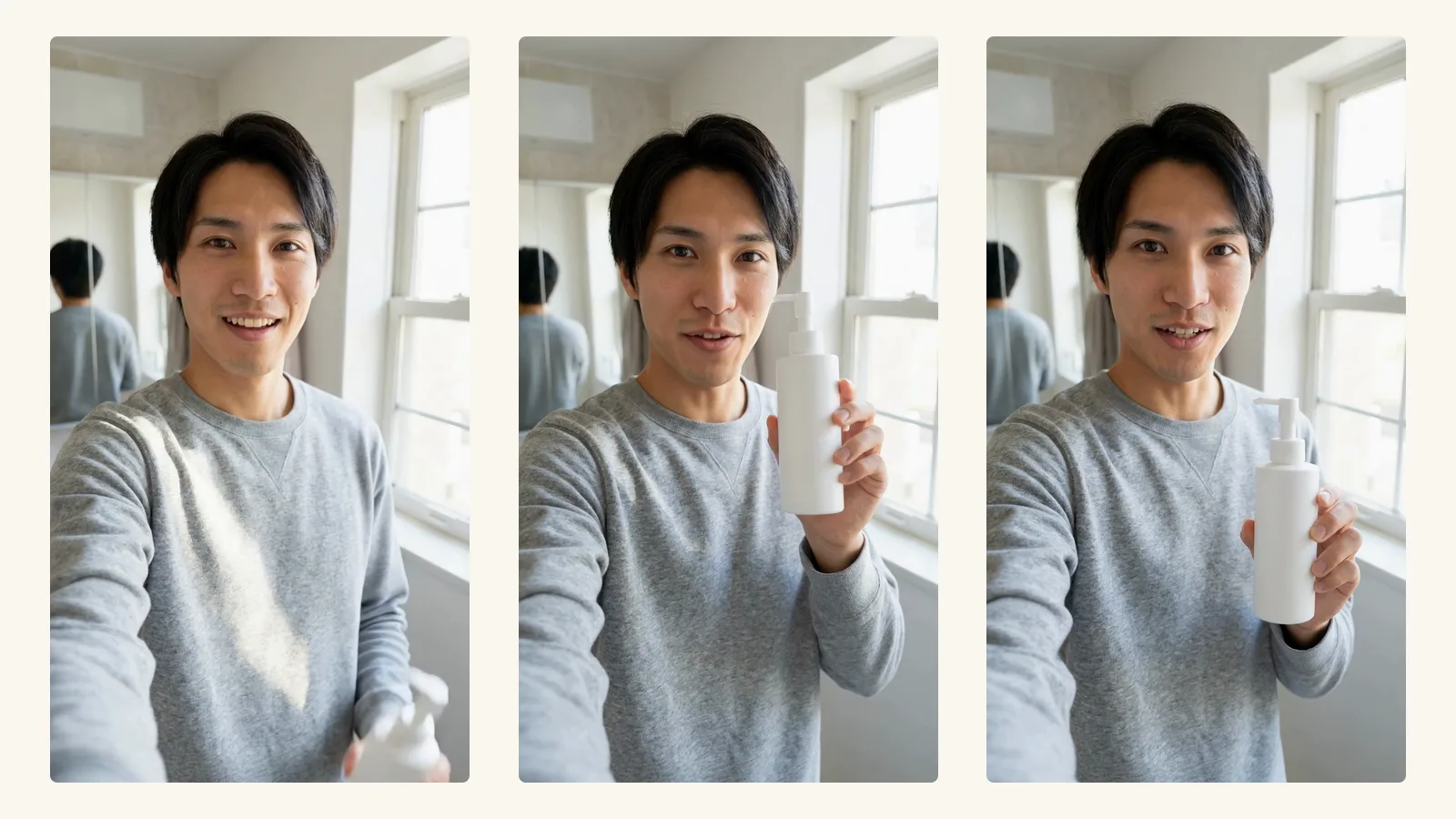
We ran this exact step on June 11, 2026. First, the hook still: one prompt — the actor “holds matte white unbranded pump bottle next to his face, mid-claim, bathroom mirror, window light” — at 9:16. It rendered in 20.6 seconds for a measured 67 credits, $0.97. First try: correct hand anatomy on the bottle grip, label-free packaging, direct-to-camera energy.

Then the voiced clip: the 25-word script, the locked voice, duration set to 10. It rendered in 3 minutes 26 seconds for a measured 380 credits — $5.51, verified against the workspace balance to the credit, which works out to $0.55 per finished second of voiced UGC video. The output below is that render, untouched: 10 seconds, 720×1280, lip-synced voiceover, no watermark, no export step.
The actual output of this tutorial’s run — a 10-second voiced UGC read, rendered by the Playcut Actor Engine for 380 credits ($5.51). If the player doesn’t load, here’s what it shows: the same creator from the hook still, in the same bathroom light, delivering the moisturizer script to camera with synced lips and a clear voice track.
Does the face survive the trip from still to motion? Measurably, yes. We compared the hook still against frames pulled from the clip using ArcFace face embeddings: 0.57 mean cosine still-to-video and 0.90 frame-to-frame within the clip — same-person territory throughout, against a verification threshold of roughly 0.30–0.40. One run, one actor, June 11, 2026; it measures Playcut self-consistency, not a cross-tool benchmark.
For stack-pickers, the per-unit math elsewhere, by each vendor’s own pricing: Arcads works out to roughly $11 per video on its $110, 10-video plan; HeyGen to about $0.97 per minute by its own credit math; Synthesia to $2.90 per minute on Starter. Playcut’s unit is the clip — $5.51 voiced, $6.48 with its hook still. Per-clip credit math across every format lives in the AI UGC video cost breakdown.
Step 6: Edit — captions, B-roll, and safe-zone crops
Burned-in captions, two or three B-roll cutaways, and a safe-zone-aware crop are what make an AI render read native. Most viewers watch muted — the captions are the ad.
CapCut covers the whole step free, with paid tiers from $9.99/month by its own help pages (pricing varies by region and platform). The Captions app runs $9.99–$24.99/month on its iOS tiers. Before export, check the caption block against each platform’s UI overlays with the free safe-zone checker — TikTok’s right-rail icons and bottom UI eat more of the frame than people expect.
The pitfall is over-polishing. Color grades, stock transitions, and kinetic-type captions push the clip from “creator” to “commercial,” which kills the trust register you picked this format for. Cut tight, caption plainly, keep the handheld energy.
Step 7: Label it as AI-generated (don’t skip this)
Every major platform now has an AI-disclosure toggle, flipping it takes one tap, and skipping it risks removal — it’s the cheapest compliance you’ll ever buy. Here are the exact buttons on all four surfaces.
TikTok (organic posts)
TikTok requires creators “to label all AI-generated content that contains realistic images, audio, and video” — which is exactly what AI UGC is. The toggle path on upload: Add post → record or upload → Continue → Next → “More options…” → enable the AI-generated content setting, per TikTok’s AI-generated content help page.
Two warnings from that same page. TikTok may auto-apply the label when it detects AI or attached Content Credentials, and “once your content is labeled as AI-generated with an auto label, you won’t be able to remove the label.” Mislabeling unaltered content is a Terms of Service violation too.
TikTok Ads Manager (paid)
For paid placements, the disclosure is mandatory for “AI-generated, synthetic, or manipulated media” — fully AI-generated video and real footage significantly modified by AI both count, per TikTok’s ad-disclaimer documentation. The checkbox lives in the ad-creation step, and it renders a textual disclosure label at the bottom of the in-feed ad.
Meta — Facebook and Instagram
Meta applies an “AI info” label when industry-standard AI indicators are detected or when you self-disclose, per Meta’s labeling announcement. Labeled content stays up — Meta’s stated approach is to add labels and context rather than remove. On the ads side, Ads Manager includes a digitally-created-media disclosure for the regulated categories (political and social-issue ads), documented in Meta’s Business Help Center.
YouTube and YouTube Shorts
YouTube requires disclosure when realistic content “makes a real person appear to say or do something they didn’t do,” alters footage of a real event or place, or “generates a realistic scene that didn’t actually occur,” per YouTube’s altered-content policy. The flow: YouTube Studio upload → Attributes → select “Yes” under AI use. Photorealistic content gets an in-player label; persistent non-disclosure risks forced labels, removal, or suspension from the Partner Program.
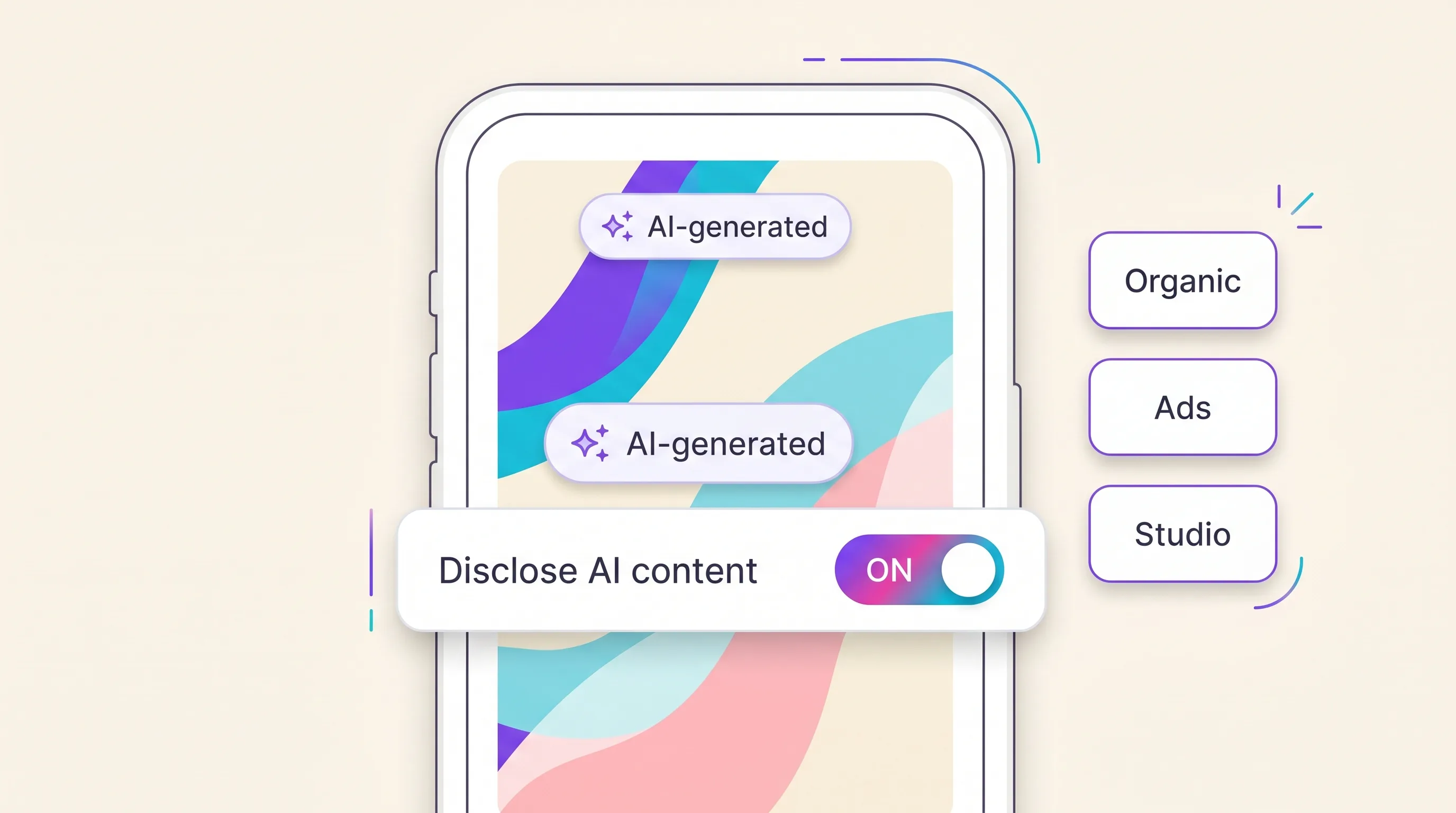
Behind the platform toggles sits the law. The FTC Endorsement Guides apply to AI testimonials, and fabricated testimonials carry a $53,088 per-violation civil penalty under 16 CFR Part 465. Step 7 covers where the buttons are; what the law actually requires — FTC depth, the EU AI Act, state rules, and consent — is mapped in is AI UGC legal? the 2026 rules and penalties.
Step 8: Post, test 3–5 variants, and iterate
One clip is a guess; the batch is the strategy. Post three to five hook variants of the same script, let the platform’s delivery system find the winner, then concentrate budget behind it — and keep the same saved actor across every variant, so the batch tests the hook, not a new face.
The 3–5 floor isn’t folklore — it’s TikTok’s own guidance. Smart Performance Campaigns ask for at least 3 creatives, Smart+ App campaigns for 4–6 assets, and TikTok’s Smart Creative system observes new videos for 3–5 days and pauses the ones showing early fatigue. The platform’s ad machinery is engineered around a days-scale creative lifespan. Meta’s A/B tooling similarly supports up to five ad variants per test, per its Business Help Center documentation.
Here’s the credit-efficient way to feed that machine, using the measured units from step 5. Test 10 hooks as stills first — 670 credits, $9.72 — then animate only the two or three winners as voiced clips (3 × 380 = 1,140 credits, $16.53). The full program: 1,810 credits, about $26.25, inside a single $29 Pro month. Animating all ten unseen would cost 3,800 credits ($55.10); at $0.97 versus $5.51 per tested hook, a still is 5.7× cheaper.
Plan-fit honesty: your first voiced clip fits the $9 Hobby month (380 of 500 credits), but the 10-still batch alone (670 credits) doesn’t — batch testing wants Pro. When the winner emerges, make AI UGC ad variants that keep the same actor instead of re-rolling a new face per hook.
9 AI UGC production mistakes (and the fix for each)
These are production-line mistakes — the kind that waste credits and renders. The strategy-level mistakes (going all-AI, set-and-forget posting, unsubstantiated claims) live in the pillar’s mistakes section.
- Animating every hook. Ten voiced clips cost $55.10; ten stills plus three animated winners cost $26.25. Test hooks as $0.97 stills first — a still answers “does this stop the scroll?” just as well as a render.
- A new voice per clip. The persona breaks even when the face holds. Lock one voice to the actor in step 3 and never audition mid-campaign.
- Re-describing the actor instead of reusing the saved identity. Generative models have no memory; a re-described face drifts. Always render from the saved actor, never from a fresh text description of “the same” person.
- Writing ad copy instead of spoken words. “Discover radiant hydration” is a billboard, not a person. Read the script aloud once — if you wouldn’t say it to a friend, the actor shouldn’t either.
- Rendering 16:9 and cropping to vertical. Cropping amputates composition and resolution. Compose 9:16 native from the still onward, the way the run above did.
- Burning captions outside the safe zones. TikTok’s UI overlays cover the bottom and right edges; captions under them are invisible. Check the frame before export, not after the first comment says “can’t read it.”
- Labeling after posting — or betting on auto-detection. Auto labels can’t be removed once applied, and unlabeled realistic AIGC risks takedown. Flip the toggle at upload, every platform, every time.
- Testing one variant and calling the channel dead. TikTok’s own campaign floors are 3–6 creatives. One clip’s failure is data about that hook, not about AI UGC.
- Scripting past the scene cap. A 10-second scene holds about 25 spoken words. We learned this the measured way: our first render attempt asked for 15 seconds, failed against the platform’s 10-second scene cap — and still billed its 30-credit scene-start fee ($0.44), because failed attempts aren’t free. Write ≤25 words per scene; a 15-second, two-scene read runs 585 credits ($8.48), planned — not improvised.
What it costs to make AI UGC: the measured price ladder
Measured on June 11, 2026, at Playcut’s Pro rate of $0.0145 per credit: a hook still costs $0.97, a voiced 10-second clip $5.51, a complete ad (still plus clip) $6.48, and a full 10-hook test program about $26.25.
| Asset | Credits | Cost at Pro rate | Basis |
|---|---|---|---|
| Hook still (9:16, 1K) | 67 | $0.97 | Measured — exact balance delta |
| Voiced 10-second clip (720p, lip-synced) | 380 | $5.51 | Measured — formula verified to the credit |
| Complete ad (still + clip) | 447 | $6.48 | Measured |
| 15-second voiced read (two scenes) | 585 | $8.48 | Formula at the verified rates |
| 10-hook test ladder (10 stills + 3 clips) | 1,810 | ≈$26.25 | Computed from measured units |
Per finished second of voiced UGC video, that’s $0.55. On the never-expiring credit packs the unit drops slightly — $5.32 per clip at the Medium pack’s $0.014-per-credit rate.
| Plan | Credits/month | 10s voiced clips | Complete ads (still + clip) |
|---|---|---|---|
| Hobby — $9/mo | 500 | 1 | 1 |
| Pro — $29/mo ⭐ | 2,000 | 5 | 4 |
| Studio — $79/mo (4 seats) | 6,000 | 15 | 13 |
| Agency — $149/seat/mo | 10,000 per seat | 26 per seat | 22 per seat |
Spend an entire Pro allowance on nothing but clips and the effective all-in price is $5.80 per voiced ad ($29 ÷ 5); annual billing takes 17% off. The pillar’s cost section keeps the AI-versus-human comparison in one place.
How we measured these numbers
The numbers in this tutorial come from one end-to-end production run (n = 1) performed by the Playcut team on its own platform on June 11, 2026 — one hook still and one voiced clip, through the same pipeline the app calls. First outputs were measured and shipped: no cherry-picking, no quality regens. The one failure (the 15-second attempt) is reported above, including its 30-credit cost.
Credits were verified two ways — per-task estimates and workspace balance deltas — with concurrent workspace activity attributed task by task; the full window reconciles to zero unexplained credits. The face match used InsightFace’s buffalo_l ArcFace model: cosine similarity on L2-normalized embeddings, largest detected face per image, all faces detected at full resolution.
Limitations, stated plainly: single run, single actor, one product class, one stock voice. Timings reflect one evening’s queue, not a latency benchmark, and lip-sync quality was verified present and speech-level, not phoneme-scored. No competitor tool was run side-by-side — no independent head-to-head benchmark exists, and vendor numbers are self-reported.
How Playcut runs all eight steps in one workspace
Playcut collapses the production core of this tutorial into one chat workspace: script with the free generators, voice it with the Playcut Voice Engine’s 30+ lip-synced languages, cast a saved actor from the Playcut Actor Engine with 100% character consistency, render the lip-synced vertical clip, and batch the variants — without leaving one surface.
The run embedded in step 5 is exactly that workflow: no exports between tools, no identity leaks at handoffs, the same face from the casting still to the moving ad, measured at 0.90 frame-to-frame in that same single run. The pricing ladder maps to the tutorial directly — Hobby $9/month covers your first voiced clip, Pro $29/month covers the full $26.25 testing ladder, Studio $79/month (4 seats) and Agency $149/seat/month carry team volume.
Start with UGC ads on Playcut, or open app.playcut.ai and run the eight steps yourself.
Frequently asked questions
How long does it take to make an AI UGC video?
About 30–60 minutes the first time, and 10–15 minutes once your stack is set up. In our measured run, the renders themselves took under four minutes of server time — scripting and editing are the human time. A 10-variant batch is an afternoon, versus a 1–2 week turnaround for a hired creator.
Can I make AI UGC for free?
Partly. Free tiers cover scripting and editing, but they watermark output and several exclude commercial rights — fine for practice, not for ads. The cheapest ad-safe stack runs about $15 a month; Playcut’s Hobby plan is $9 a month with three custom actors and enough credits for one voiced clip.
Do I need to film anything or show my face?
No. The AI actor delivers the script — there’s no camera, set, or on-screen human. You write the script, pick a saved actor and voice, and the lip-sync render does the performance. That’s the entire point of AI UGC production.
How do I label AI UGC on TikTok?
On upload, tap “More options…” and enable the AI-generated content setting — TikTok requires the label on realistic AI images, audio, and video. For paid ads, use the AI-generated content disclosure in Ads Manager. TikTok may auto-apply the label via Content Credentials, and auto labels can’t be removed.
Can I use the same AI actor in every video?
Yes — you should, and running UGC with one AI actor is its own program. Save the actor once and reuse it so every variant looks like one creator; a drifting face breaks brand recognition and retargeting. That’s the core promise of the Playcut Actor Engine’s 100% character consistency — our single June 2026 run held 0.90 frame-to-frame identity, a Playcut self-consistency measure.
How many variants should I make from one script?
Three to five minimum — TikTok’s own campaign guidance asks for at least 3–6 creatives, and its Smart Creative system rotates fresh videos within days. The cheap way: test 10 hooks as $0.97 stills, then animate only the two or three winners as voiced clips.
What’s the fastest AI UGC workflow for beginners?
One integrated studio instead of a five-tool chain: script with a free generator, then voice, actor, and lip-sync render in one workspace, edit captions, label, post. Our measured single-workspace run went brief to finished voiced clip in 6 minutes 34 seconds. A stitched DIY stack leaks actor consistency at every handoff.
Do TikTok and Instagram need different AI UGC edits?
Same 9:16 master, different trims: keep captions inside each platform’s safe zones, front-load the hook harder for TikTok, and re-check the AI-disclosure toggle on each platform. TikTok’s label, Meta’s “AI info,” and YouTube’s altered-content checkbox are separate flips.
Conclusion: your first AI UGC ad is one session away
Making AI UGC is eight steps, and only the first four involve decisions — stack, script, voice, actor. After that it’s production: render, edit, label, post, iterate. We measured it so you can budget it: $0.97 per tested hook, $5.51 per voiced clip, $6.48 per complete ad, about $26.25 per 10-hook test program, and 6 minutes 34 seconds from brief to MP4.
Start where our run started — one product, one 25-word script, one saved actor. If you’re producing for clients rather than your own brand, how much to charge for AI video covers the seller-side rates; for the strategy layer beyond production, return to the complete AI UGC guide.
Make your first AI UGC ad in one session.
Script it, voice it with the Playcut Voice Engine, cast a saved actor with 100% character consistency, and render a lip-synced vertical ad — measured at $5.51 a clip. Your first clip fits the $9 Hobby month.
Start building in Playcut →