
How to Create an AI Avatar from a Photo (Tested Workflow)
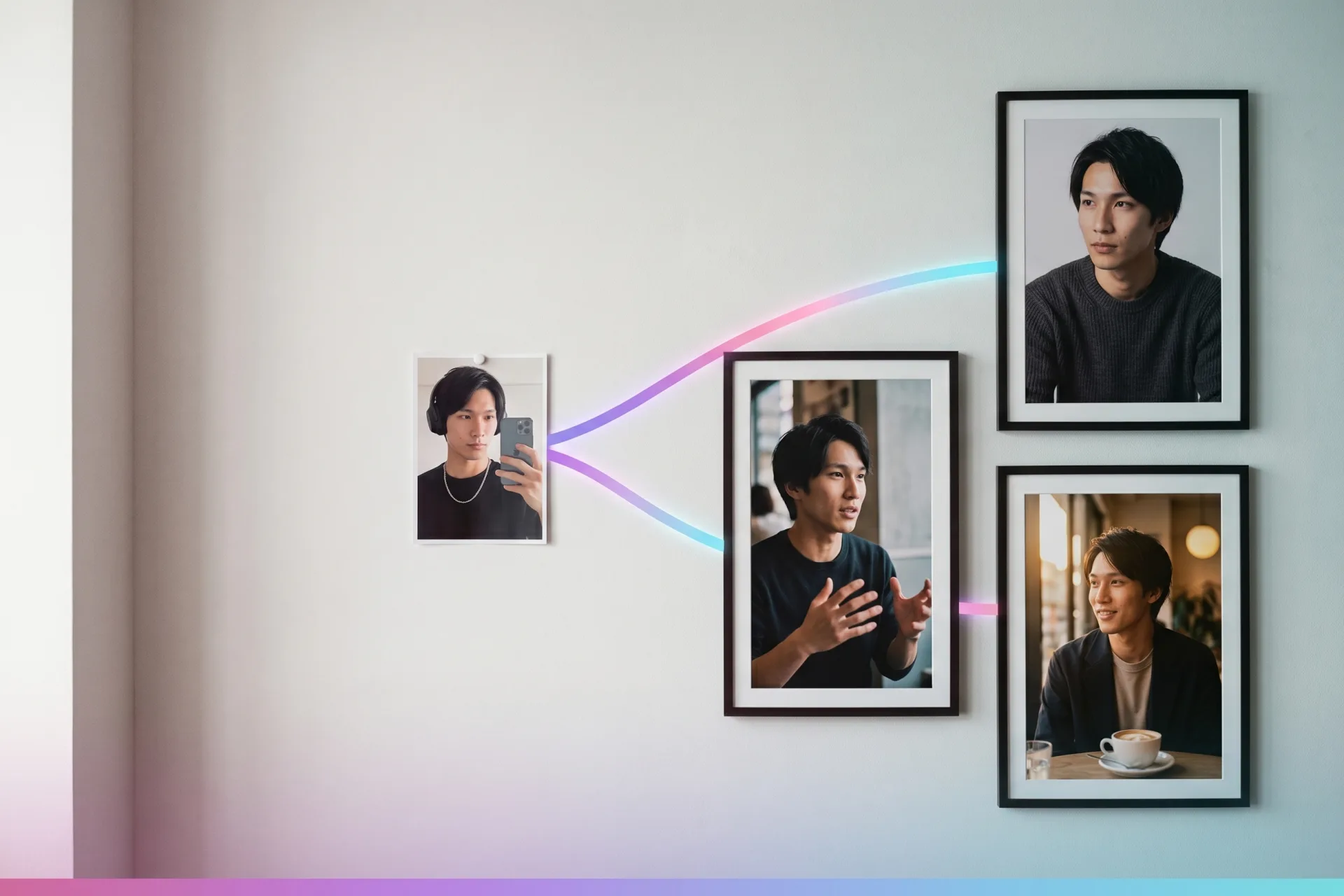
The fastest way to create an AI avatar from a photo is a five-step workflow: pick one clean, front-facing photo, decide what kind of avatar you actually need, upload and generate, add a voice, and save the identity for reuse. Expect 10–15 minutes in any modern tool.
The hard part isn’t generating the avatar — it’s getting the same face back tomorrow. So we measured it.
We ran the full photo-to-avatar flow on the Playcut Actor Engine: the source face held a 0.46 mean ArcFace cosine to every output — same-person territory — with each image landing in under 21 seconds for $0.97.
This tutorial walks the five steps with those real timings and costs, then compares how the photo-to-avatar flow actually works in HeyGen, D-ID, Hedra, Synthesia, and Vidnoz. That includes the consent gates none of their landing pages explain — which matter more than ever with the EU AI Act’s transparency rules applying from August 2, 2026.
Table of Contents
- How to create an AI avatar from a photo in 5 steps
- How the photo-to-avatar flow works in each tool
- Whose photo can you use? Consent rules for AI avatars
- Why your avatar stops looking like your photo (and the fix)
- Frequently asked questions
- Conclusion: your next step
How to create an AI avatar from a photo in 5 steps
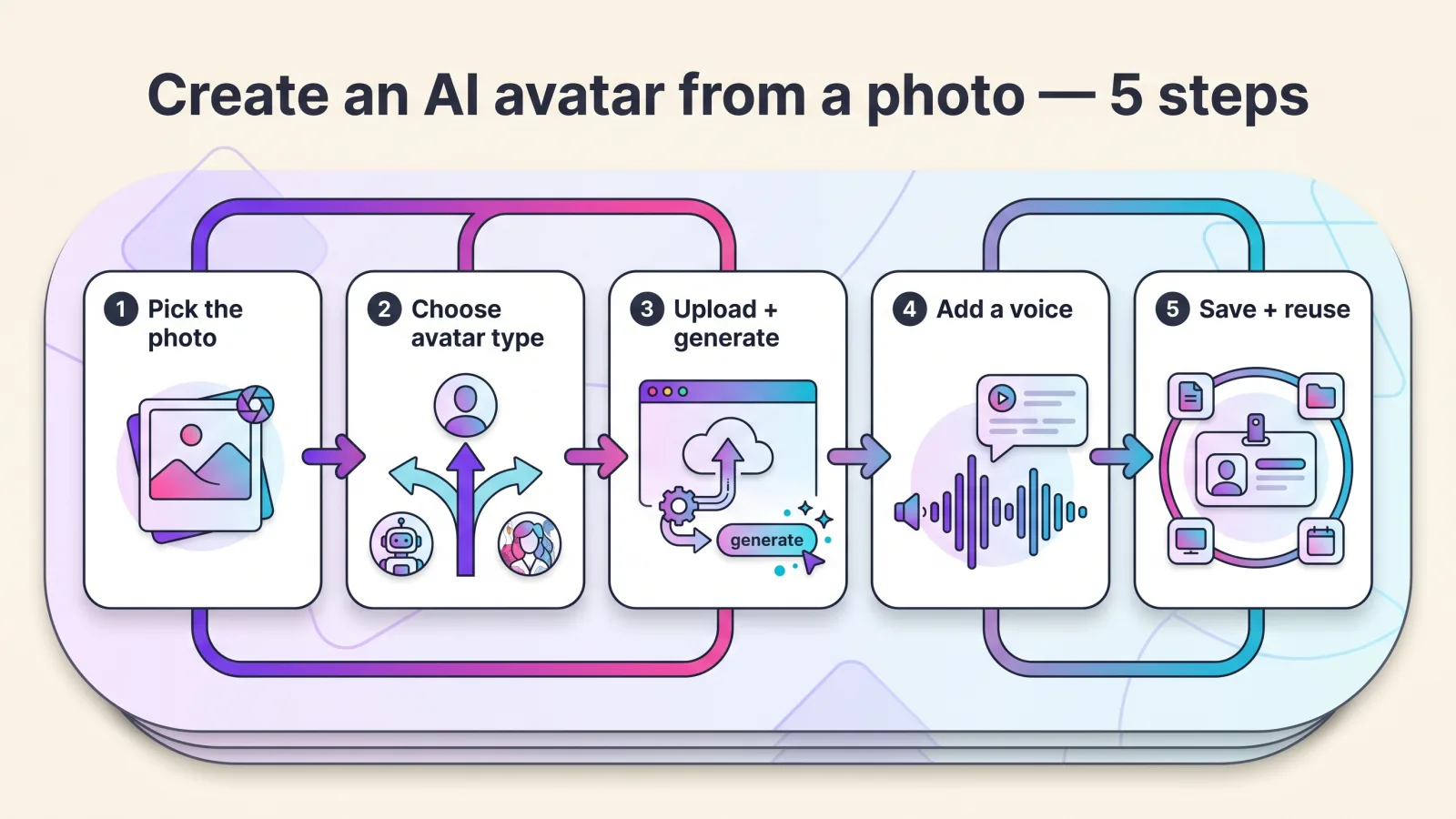
Here is the whole workflow, front to back:
- Pick the right photo — front-facing, even light, neutral expression, face at least 200×200 pixels.
- Decide what kind of avatar you need — styled profile picture, one talking clip, or a reusable working avatar.
- Upload the photo and generate — and save the result as a reusable identity, not a one-off image.
- Add a voice and script — text-to-speech, uploaded audio, or a cloned voice.
- Save the identity and reuse it everywhere — stills, talking-head video, UGC ads, product shots.
Step 1: Pick the right photo
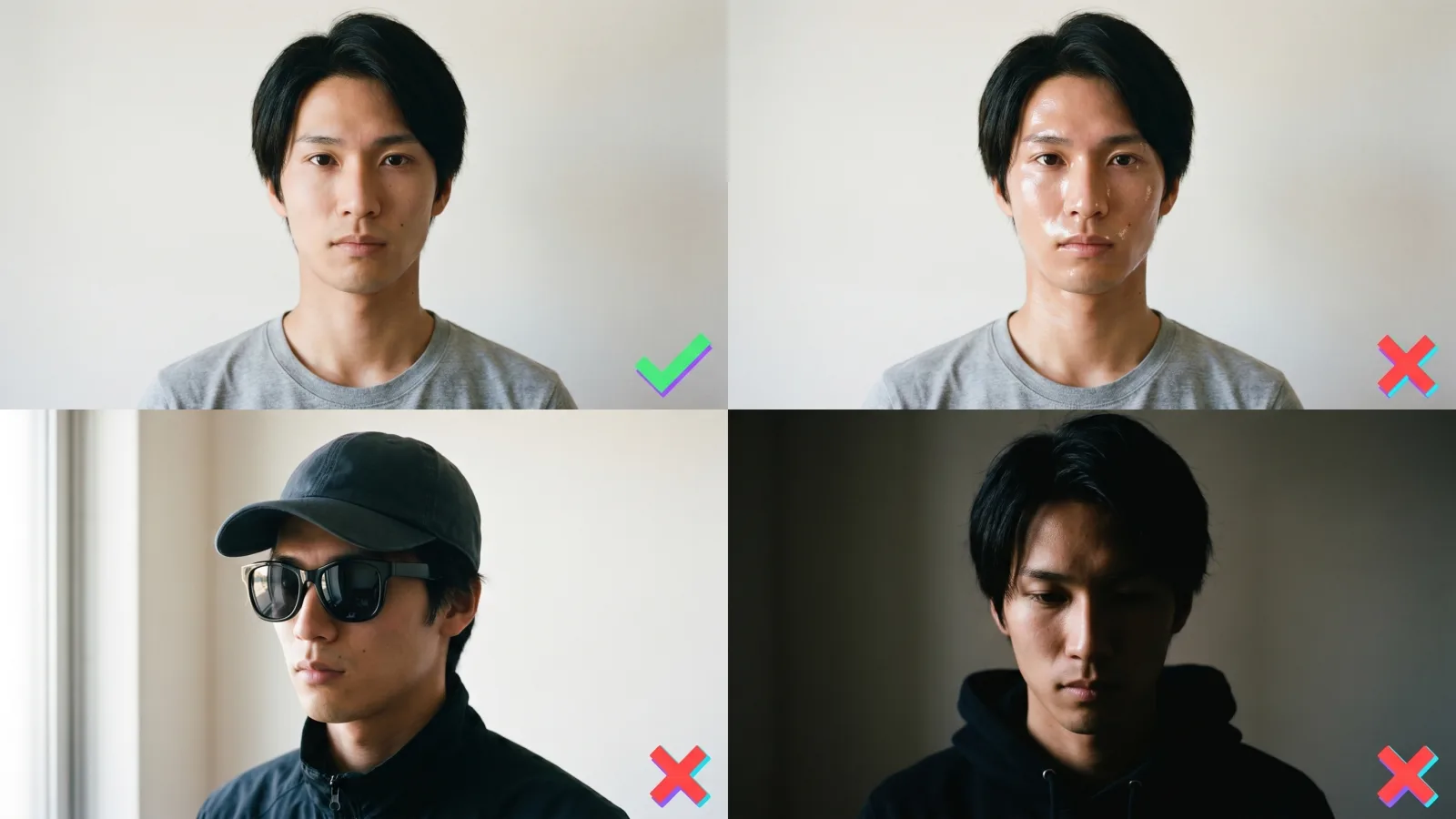
Use one front-facing, well-lit photo with a neutral expression and a closed mouth. That single sentence is the consensus across every major tool’s photo guidelines — HeyGen’s photo-avatar requirements, D-ID’s upload specs, and Vidnoz’s checklist all converge on it.
The full checklist:
- Front-facing or a slight angle — no profile shots
- Even lighting, no harsh shadows across the face
- Neutral expression, mouth closed (D-ID requires this explicitly)
- Face at least 200×200 pixels, file under 10MB
- No sunglasses, hats, masks, or anything covering the face
- No heavy filters — filter artifacts bake into every later render
- Eyes and lips clearly visible, face filling a good portion of the frame
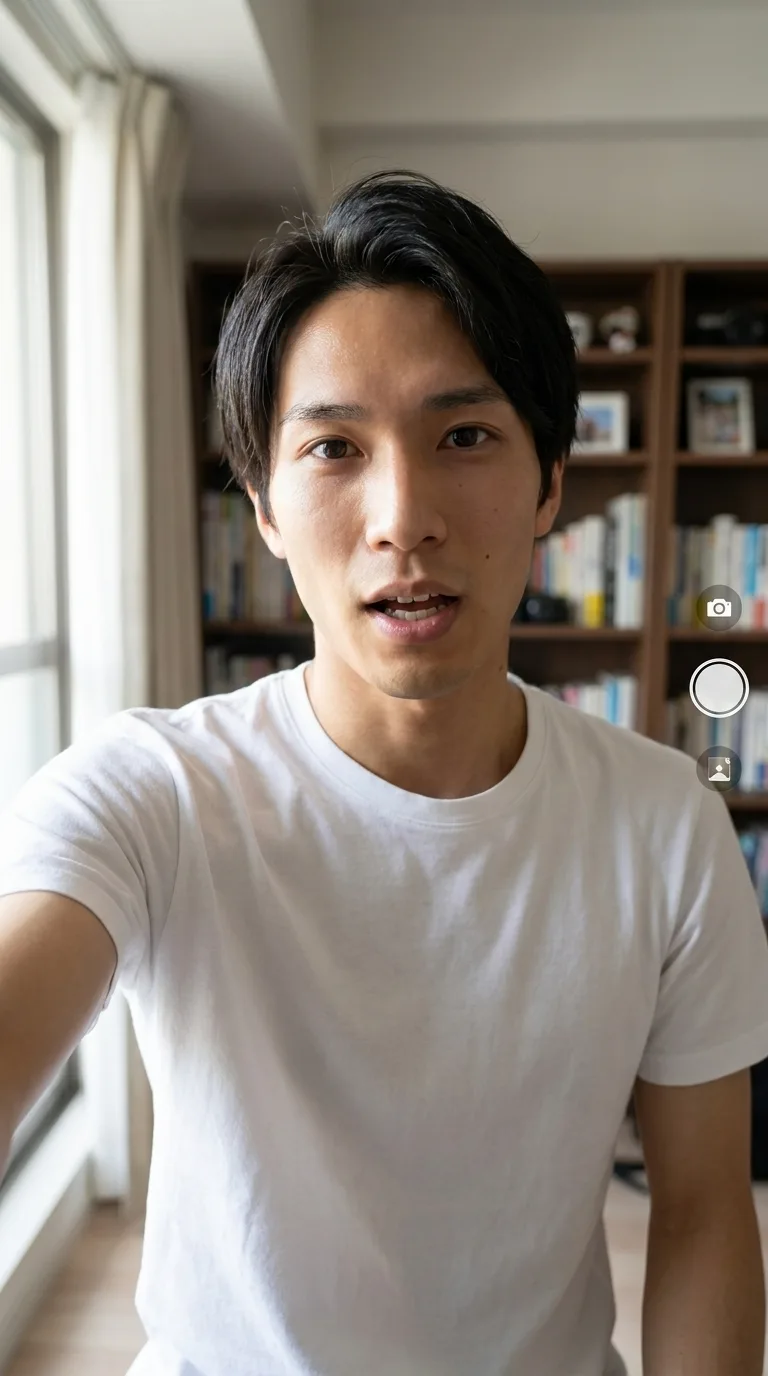
One clean photo beats five busy ones, because the source photo sets the quality ceiling for everything downstream — the same reference-quality rule that governs every avatar build. Worth knowing: the source photo in our measured walkthrough below was a casual indoor mirror selfie, not a studio portrait, and it still held.
Step 2: Decide what kind of avatar you need
Decide which of three avatar types you need before picking a tool — “avatar from a photo” means three different things, and the type decides the tool. Get this wrong and you’ll buy the wrong product.
| You want | What it is | Tool class |
|---|---|---|
| Styled profile picture | A one-off anime/3D/cartoon portrait | Free art tools (Fotor, Canva, Media.io) |
| Talking photo | One clip of your photo speaking a script | Photo-animation tools (D-ID, Vidnoz lane) |
| Working avatar | A saved, reusable identity that talks, presents, and stays consistent across content | Identity-based studios |
If you just want a stylized profile picture, stop here: Fotor, Canva, and Media.io do it free in two minutes, and nothing else in this guide applies to you.
If you need an avatar that works — presents scripts, fronts ads, appears in product shots, and looks like the same person next month — keep going. The talking-photo and working-avatar paths share the next three steps; the difference is whether the tool saves the identity at the end.
Step 3: Upload your photo and generate the avatar
Upload the photo, generate, and — critically — save the result as a reusable identity rather than a one-off image.
In Playcut, that flow is: upload one reference photo (or describe the person in plain language), and the Actor Engine builds the avatar and saves it as an actor with a stable ID. Every future generation conditions on that saved identity automatically — you never re-upload the photo again.
We ran the generation side of this flow on June 11, 2026 — three shoots against one saved actor — and timed it.
The first generation — a studio headshot register — completed in 18.4 seconds, first try, for 67 credits ($0.97 at Pro rates). All three test generations landed first-try with zero retries; the whole three-image run took about 3.5 minutes and 201 credits ($2.91).
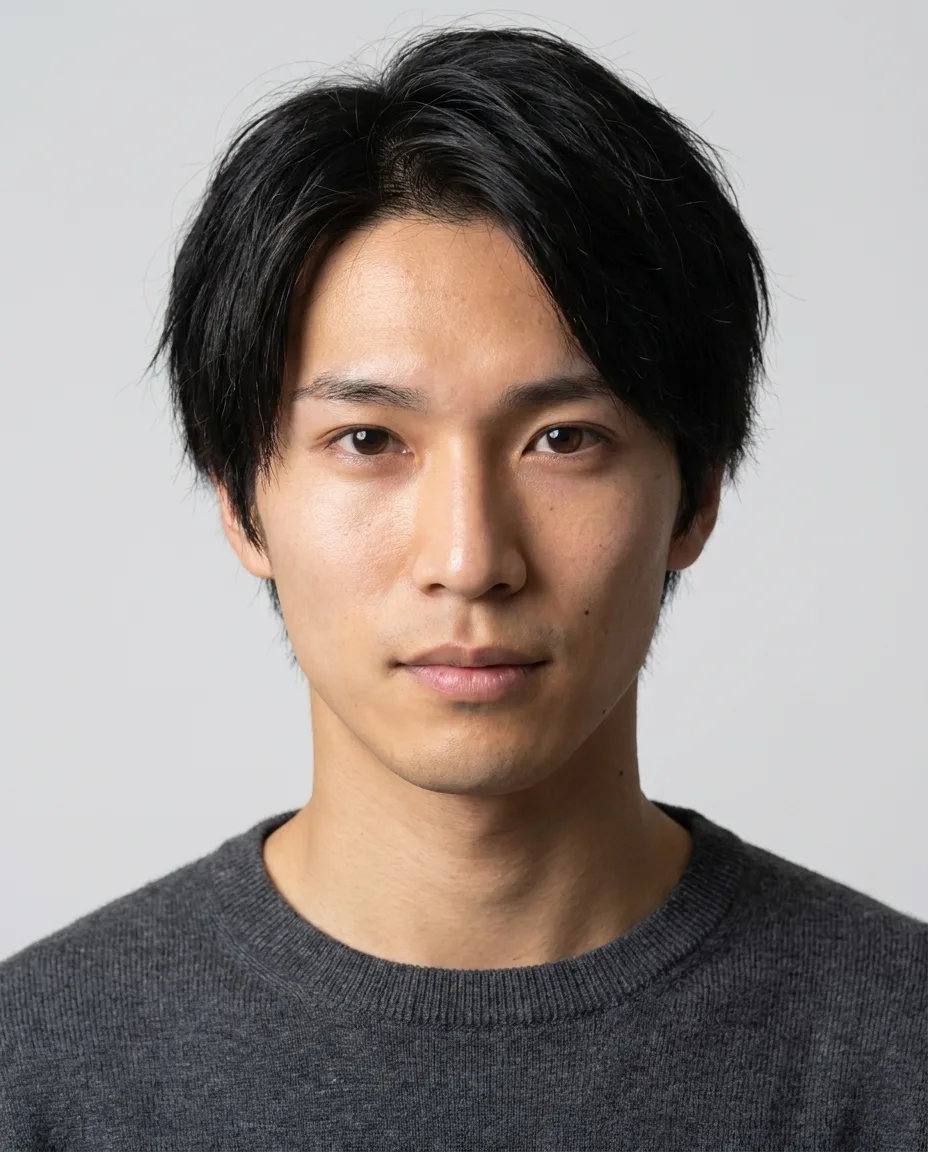
The first walkthrough output: 18.4 seconds from request to finished 4:5 portrait, 67 credits, no retries.
The same step looks different elsewhere. In HeyGen, you open the Avatars tab, create a New Avatar, and upload the photo (or prompt “Design with AI”). In D-ID, the photo upload and the script happen on one screen. In Hedra, you upload a character image and pair it with audio.
The mechanics vary; the question that matters is whether the tool saves the identity or rebuilds from the photo every session.
If you’d rather start from the product side, the Playcut AI avatar generator walks this same upload-to-saved-actor flow.
Step 4: Add a voice and script
Most tools give the avatar a voice three ways: pick a text-to-speech voice, upload recorded audio, or clone a voice from a sample. Playcut is the exception. You write the spoken line into the prompt and the video model performs it — a Playcut voice cannot be bound to an actor, which is why an Act clip carries no voice surcharge and no separate TTS step.
The other tools split along the same lines. D-ID and Vidnoz lean on typed scripts with language and tone selectors; Hedra accepts recorded, uploaded, or built-in TTS audio; HeyGen layers voice choice and motion style on top of the photo avatar.
Our second walkthrough generation tested the talking-head register — the avatar mid-sentence, framed for vertical video. It rendered in 19.1 seconds, again first-try, at the same 67-credit cost.
Step 5: Save the identity and reuse it everywhere
Generate every future asset from the saved identity instead of re-uploading the photo — that reuse is the whole point of the working-avatar path. Once the actor exists, every new image or video is a prompt away: a studio still, a talking-head clip, a vertical UGC read, an on-product shot — ten aspect ratios from 1:1 to 21:9, with the saved face attached automatically.
Our third walkthrough generation moved the avatar into a completely new scene — a golden-hour café — in 20.5 seconds. Three registers, three first-try results, one identity. That reuse economics is the practical takeaway: at Pro ($29/month, 2,000 credits), 67 credits per image works out to roughly 29 on-brand avatar images a month, about $1 each. At Hobby ($9/month, 500 credits), about seven.
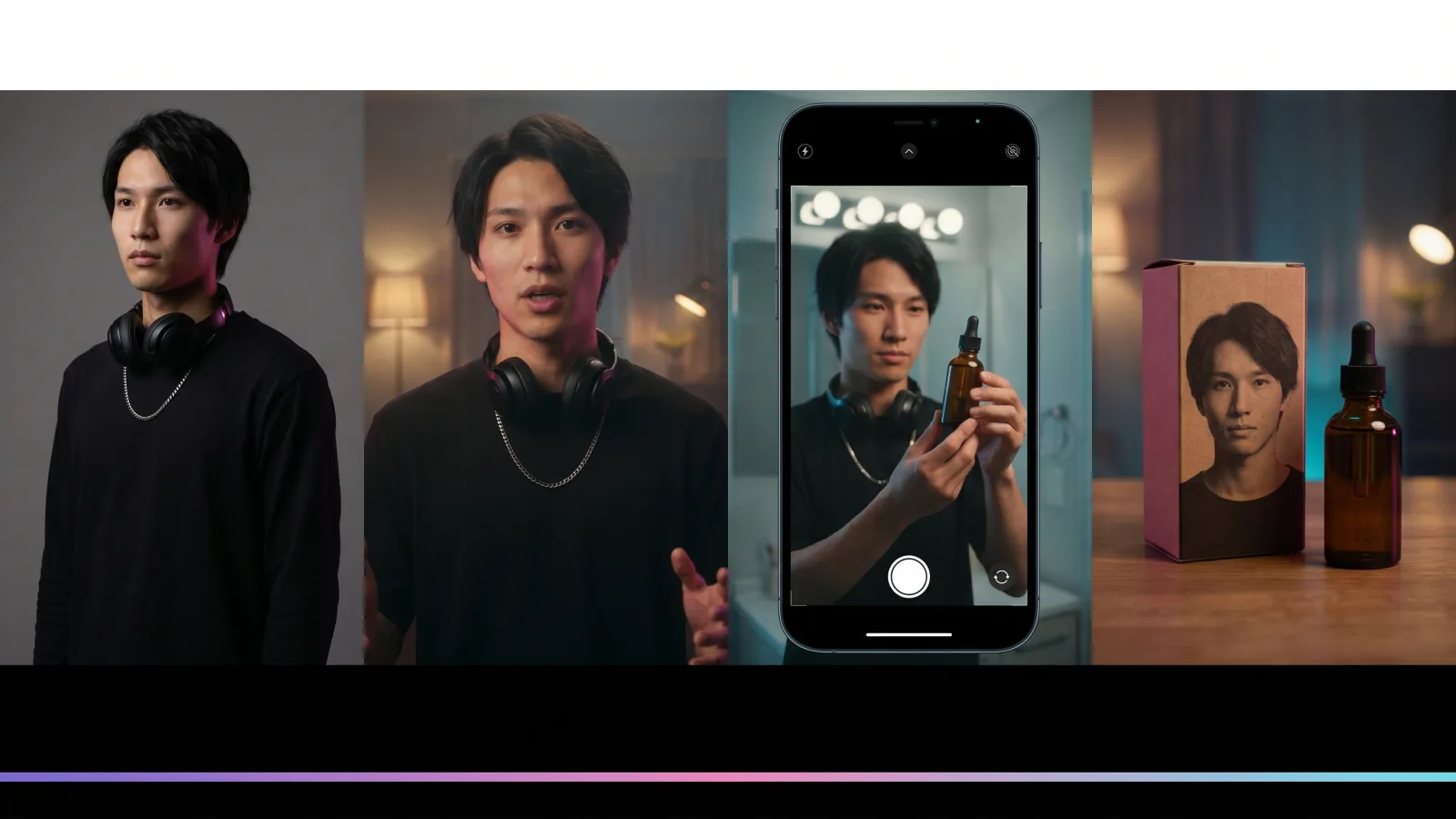
This is also where avatars become characters. A saved identity can front an entire AI influencer persona, and the same mechanism powers Playcut’s full AI actor library — appearance and outfit variants per actor.
How the photo-to-avatar flow works in each tool
Six tools dominate the photo-to-avatar lane, and their flows differ more in consent gates and fees than in upload mechanics. The table below compares workflow facts, verified June 11, 2026 — for a ranked which-tool-should-I-pick verdict, see our best AI avatar generators breakdown.
| Tool | Photo→avatar flow | Consent gate | Cost to start (verified June 11, 2026) | Custom-avatar fees / limits |
|---|---|---|---|---|
| Playcut | Upload 1 photo (or describe) → Actor Engine saves a reusable actor ID that holds the same face across stills, talking-head, UGC, and product shots | Only photos you own or have rights to use | Hobby $9/mo (500 cr); Pro $29/mo (2,000 cr) | Custom actors on all tiers from $9; no per-avatar fee; 67 cr/image measured |
| HeyGen | Avatars tab → New Avatar → upload photo → voice → motion | None for photo avatars (consent video for digital twins only) | Free: 3 photo avatars, 3 videos ≤1 min/mo; Creator $29/mo | Avatar IV motion 20 cr/min; Avatar III 3 cr/min |
| D-ID | Upload photo → type script → language/voice/tone → generate | ToS-level only — no consent info on the landing page | Watermarked trial; Lite ~$4.70/mo annual (unverified — pricing page JS-walled) | Face ≥200×200 px, ≤10MB, neutral closed-mouth photo |
| Hedra | Upload character image (any style, incl. non-human) → add audio → optional emotion prompt | Biometric data policy + acceptable-use ToS | Basic $15/mo (1,500 cr) | Character-3 at 6 cr/sec (~$0.06/sec); free tier ~20s watermarked |
| Synthesia | Upload photo + record a live consent video reading a passcode → ~1 business day processing | Strictest in category: live consent video, self-only | Free: 3 personal avatars, 10 min/mo; Starter $29/mo ($18 annual) | Studio-quality custom avatar $1,000/yr add-on |
| Vidnoz | Pick/upload photo → script (or voice clone) → language + emotion → generate | Checkbox confirming copyright or legitimate rights | Free: 60 cr/day, ≤3 min watermarked videos | Paid |
Playcut
Playcut treats the photo as the seed of a permanent identity. One upload (or a plain-language description) and the Actor Engine builds and saves an actor ID; every still, talking-head clip, UGC ad, and on-product shot then conditions on that same saved face. The Voice Engine adds 10 languages and voice cloning.
Custom actors are included on every tier from Hobby at $9/month — no per-avatar fee. In our measured run, each 1K avatar image cost 67 credits ($0.97) and rendered in 18–21 seconds.
HeyGen
HeyGen’s photo-avatar flow is upload → voice → motion, and its free plan includes three photo avatars and three one-minute videos a month. Notably, photo avatars require no consent video — that gate applies only to its digital-twin avatars. Budget for credit burn: premium Avatar IV motion costs 20 credits a minute — roughly 30 minutes of monthly capacity on the $29 Creator plan. Our HeyGen alternatives guide covers the wider field.
D-ID
D-ID pioneered photo-to-video and keeps the tightest loop: upload a photo, type a script, choose language, voice, and tone, and it advertises a talking video in under 40 seconds (D-ID photo-to-video). Two caveats.
Its pricing page is JS-walled, so the ~$4.70/month annual Lite figure is secondary-sourced — and its landing page carries no consent or photo-rights information at all. If you’re replacing it, our D-ID alternatives breakdown maps the options.
Hedra
Hedra’s Character-3 model animates any image with a detectable face — illustrations, paintings, even animals — paired with recorded, uploaded, or built-in TTS audio plus an optional emotion prompt. Basic costs $15/month for 1,500 credits, and generation burns 6 credits a second (about $0.06/sec), so a one-minute clip consumes 360 credits. The free tier caps around 20 seconds per watermarked generation, and credits don’t roll over.
Synthesia
Synthesia runs the strictest consent gate in the category: to build a photo avatar you upload the photo and record a live consent video reading an on-screen passcode, with roughly one business day of processing (Synthesia’s moderation rules). Self only — no avatars of others even with permission, no AI-generated source images, no public figures or deceased people.
The free plan includes three personal avatars and 10 minutes of video a month. Starter is $29/month ($18 annual), and a studio-grade custom avatar is a $1,000/year add-on.
Vidnoz
Vidnoz is the budget/free lane: pick or upload a photo, write a script (or clone a voice), choose a language and emotion, and generate. The free tier gives 60 credits a day for watermarked videos up to three minutes, with a 300-character script and 10MB image cap.
At upload, a checkbox asks you to confirm you own the copyright or have legitimate rights. Paid runs about $26.99/month (~$19.99 annual — secondary-verified, as its pricing page is promo-framed). It also claims to animate cartoon and animal photos.
Whose photo can you use? Consent rules for AI avatars
The rule is short: only create an avatar from (1) your own photo, (2) a photo of someone who gave written, informed consent naming the use, or (3) a fully synthetic face you generated. Get the consent in writing, keep the source photo and the consent record together, and label the output as AI-generated.
Tools enforce this on a spectrum, and the consent gate is the tool’s deepfake defense — the looser it is, the more of the legal burden sits on you. Synthesia anchors the strict end (live consent video with a spoken passcode, self only). HeyGen requires a consent video for digital twins but none for photo avatars. Vidnoz asks for a rights checkbox; D-ID relies on its terms of service alone.
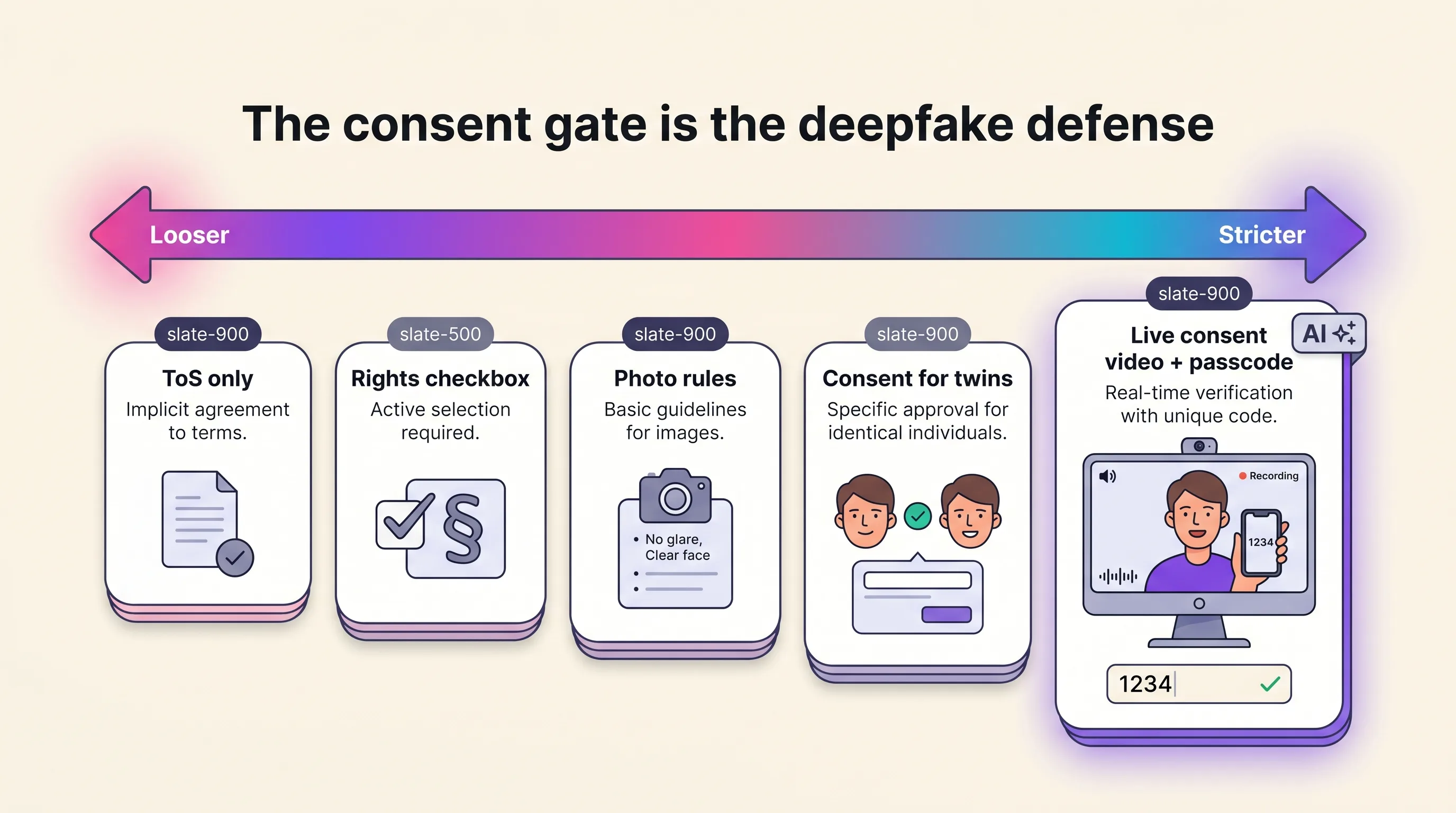
The law is catching up on a hard date. The EU AI Act’s Article 50 transparency obligations apply from August 2, 2026: synthetic image, audio, and video must be marked as AI-generated in a machine-readable way, and anyone deploying content that resembles a real person and would falsely appear authentic must disclose it. The European Commission’s draft Code of Practice on AI-content transparency proposes a common “AI” icon shown at first exposure.
Platforms already enforce their own versions — TikTok, Meta, and YouTube all require labeling realistic synthetic media. For the deeper treatment of right-of-publicity law and endorsement rules, see the ethics section of our AI avatar guide; the practical takeaway here is simpler. Consent first, records kept, label on.
Why your avatar stops looking like your photo (and the fix)
The photo sets the ceiling; a saved identity keeps the floor. Most photo-avatar tools regenerate from the photo each session, and because each render is a fresh sample, the face drifts between outputs. The fix is conditioning every generation on one locked identity instead of re-processing the photo.
Our walkthrough measured exactly that. Using InsightFace ArcFace face-matching, the source photo scored 0.4253, 0.4683, and 0.4821 cosine against the three outputs — a 0.46 mean, comfortably in same-person territory (verification thresholds sit around 0.30–0.40). The three outputs matched each other at a 0.64 mean, the cleaner read on what the identity lock maintains between generations.
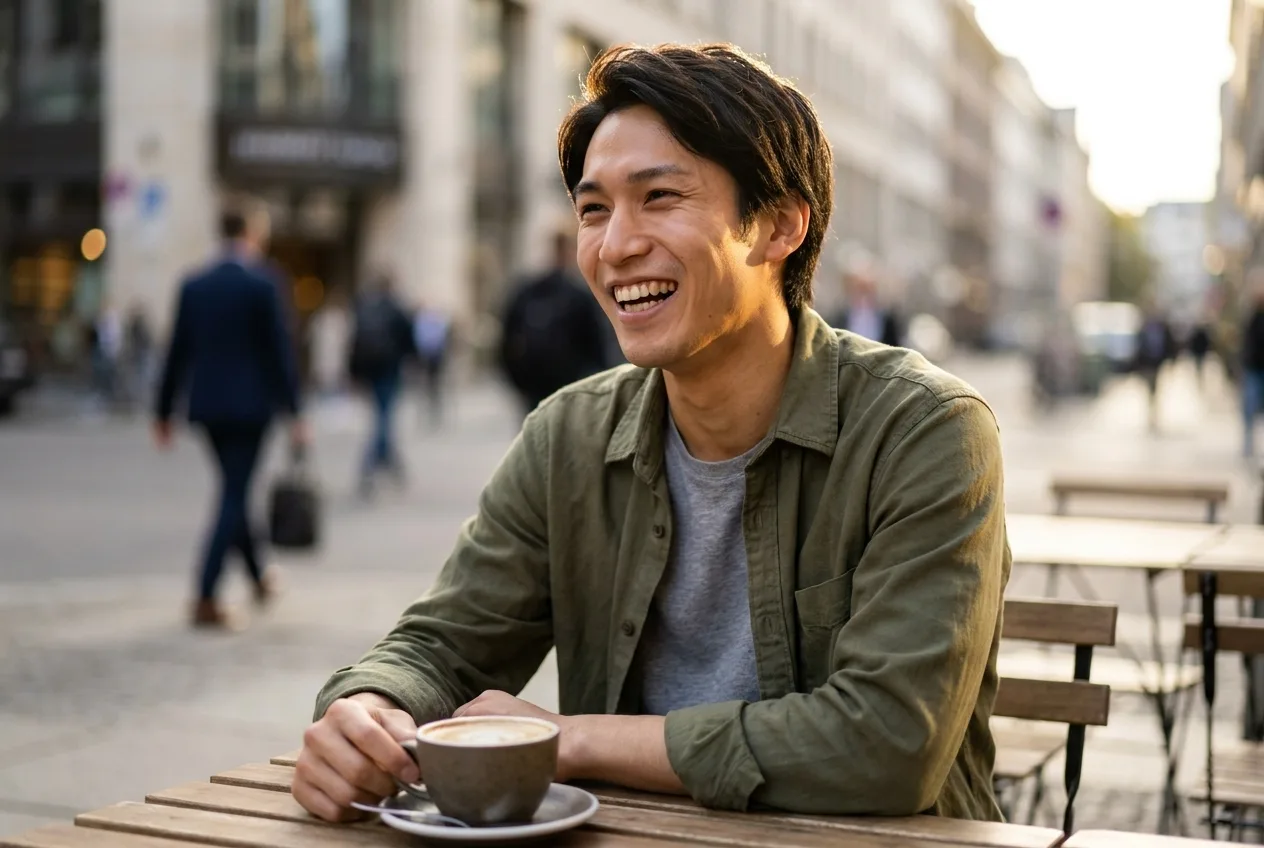
One honest caveat: the photo-to-output scores are a floor, not a ceiling. The saved reference was only retrievable at thumbnail resolution — the detected face crop measured just 29×37 pixels, far below ArcFace’s native input size, which systematically depresses similarity scores. Even handicapped that hard, every output cleared the same-person threshold.
How we measured: n = 3 generations (portrait, talking-head frame, café scene), single seed each, first outputs kept — no cherry-picking. June 11, 2026, Playcut Actor Engine, 1K outputs. Face match: InsightFace buffalo_l (ArcFace), cosine on L2-normalized embeddings. Limits: one actor, self-run on our own platform; the “photo” was the actor’s saved reference, not a fresh upload through the public UI; no competitor was run side-by-side.
For the wider consistency picture — why faces drift and how one saved Playcut actor held a 0.78 mean ArcFace cosine across five different output surfaces — see our published consistency benchmark.
Frequently asked questions
Can I create an AI avatar from a photo for free?
Yes, with limits. Vidnoz gives 60 daily credits for watermarked three-minute videos, HeyGen’s free plan includes three photo avatars and three one-minute videos a month, and Hedra offers short watermarked clips. For styled profile pictures, Fotor and Media.io are free. Paid tiers start at $9–$29 a month.
What photo works best for an AI avatar?
A front-facing, well-lit photo with a neutral expression and closed mouth. Keep the face at least 200×200 pixels, skip sunglasses, hats, and heavy filters, and let the face fill a good portion of the frame. One clean photo beats five busy ones — the source sets the quality ceiling.
How do I turn a photo into a talking avatar?
Upload the photo to a tool that animates speech (HeyGen, D-ID, Hedra, and Vidnoz all lip-sync an audio track), type a script or upload audio, and generate. Playcut works differently: you write the spoken line into the prompt and the video model performs it, so there is no voice to bind and no sync step. Most tools return a talking video in under five minutes; D-ID advertises under 40 seconds.
Can I make an AI avatar from someone else’s photo?
Only with written, informed consent. Tools enforce this differently: Synthesia requires the person themselves to record a live consent video with a passcode, Vidnoz asks you to confirm rights at upload, and the EU AI Act requires disclosing realistic likeness content from August 2, 2026.
Will my avatar look the same in every video?
Not by default. Most photo-avatar tools regenerate from the photo each session, so features drift between renders. Tools that save the avatar as a locked, reusable identity hold the face — in our test, one photo-built Playcut actor matched its source photo at a 0.46 mean ArcFace cosine and matched itself across outputs at 0.64.
Can I animate a cartoon, painting, or pet photo?
Sometimes. Hedra’s Character-3 and Vidnoz animate any image with a detectable face, including illustrations and animals. HeyGen recommends human-like proportions — clearly visible eyes and lips — and warns that beaks, snouts, and heavily stylized faces often fail. Test with a short clip first.
How much does it cost to make an AI avatar from a photo?
Working-avatar tools start at $9/month (Playcut Hobby, 500 credits), $15 (Hedra Basic), and $29 (HeyGen Creator, Synthesia Starter). Watch per-minute burn: HeyGen’s premium motion costs 20 credits a minute, and Hedra charges six credits a second. In our measured Playcut run, one avatar image cost 67 credits — $0.97. Prices verified June 11, 2026.
Conclusion: your next step
Creating an AI avatar from a photo takes five steps and about fifteen minutes: pick one clean photo, choose the avatar type, generate, add a voice, and save the identity. The step most tools skip — saving the identity — is the one that decides whether you get the same face back next week.
Our measured run is the proof of concept: one casual selfie became a studio portrait, a talking-head frame, and a café scene in under 21 seconds each, at $0.97 per image, with the face holding same-person ArcFace scores throughout.
Ready to run it on your own photo? Start with the Playcut AI avatar generator or jump straight into the studio at app.playcut.ai — custom actors are included on every plan from $9/month.