
AI Product Photography: One Upload, Twelve Scenes in Minutes
The standard cost of getting a new product to launch-ready imagery is $1,500-$5,000 per studio day plus the photographer, retoucher, location, prop styling, and post-production. For a 50-SKU launch, that’s a $50,000-$150,000 line item before any ad creative gets cut.
AI product photography replaces 90% of that spend with one upload and one prompt. This guide explains how it actually works, what it can and can’t do, and how to ship a 12-scene editorial set for one SKU in under an hour.
What AI product photography is in 2026
AI product photography is generative AI applied to product imagery — but the modern version is different from the 2022-era “generate a product photo from text” tools. The 2026 workflow is:
- Upload your real product photo (or product reference images).
- Describe the target scene (or pick from preset filters).
- The AI renders your actual product in the new scene while preserving silhouette, colors, materials, and labels.
The key word: your actual product. Earlier AI tools generated similar products. Modern tools (Playcut, Photoroom, Pebblely) composite your specific SKU into the new scene. The difference is what makes this commercially viable — a Shopify listing needs your sneaker, not a sneaker like yours.
The “one product → twelve scenes” workflow
Take a single product. Render it in twelve different editorial scenes:
- Wet marble + droplets — soft north-facing daylight, beading water (cosmetics, skincare, accessories)
- Pastel cloud float — dreamlike, soft daylight (luxury, beauty, fragrances)
- Gradient glow underglow — premium nighttime aesthetic (electronics, tech, premium apparel)
- Wood plank morning steam — warm daylight, coffee mug context (food, beverages, home goods)
- Infinity-curve pure white — clean e-com hero (default for Shopify product detail pages)
- Marble + pressed flowers — nature still-life (jewelry, beauty, fragrance)
- Workspace flat-lay — top-down lifestyle (stationery, EDC, accessories)
- Lookbook tonal palette — folded fabric layering (fashion, accessories)
- Forest moss outdoor — damp moss, fern fronds, dappled light (outdoor, athleisure)
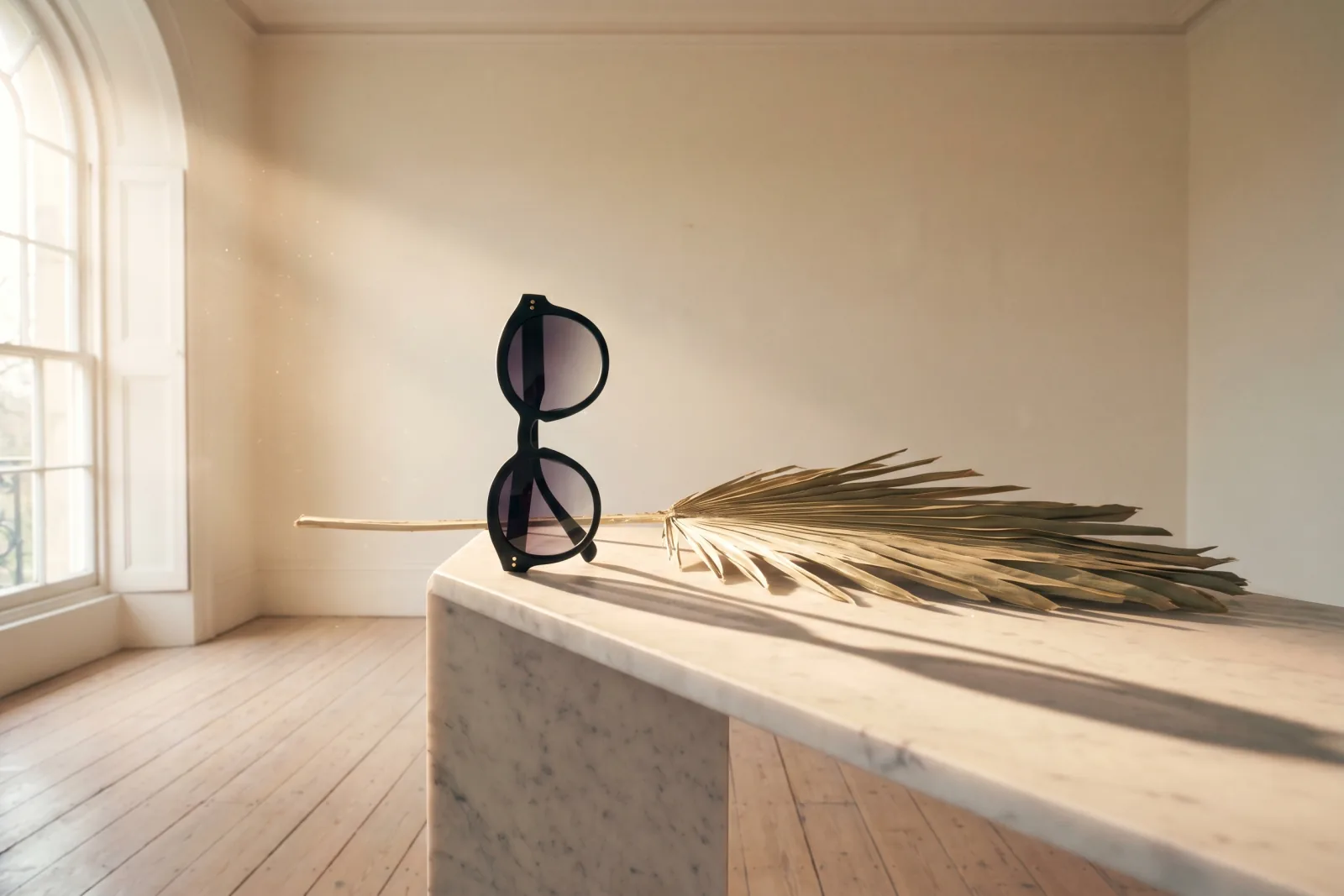
- Vase + dried palm leaf — Aesop-style social hero (beauty, fragrance, home)
- Poolside vacation — travertine, droplets, towel (sun care, swimwear, hospitality)
- Travel airport bench — passport, brass key, leather (luggage, travel gear, eyewear)
Each rendered in 1-3 minutes on Playcut. The full set covers e-com hero, social variants, lifestyle context, and marketplace formats — all from one source photo. If that source photo is small or soft, run it through the free image upscaler first — a sharper reference produces sharper scenes. See the live demo on the AI image generator landing page.
Before the render, the free background remover clears a cluttered backdrop from your source photo so the product reads cleanly as a reference.
Cost math vs studio shoots
| Approach | 100-SKU catalog cost | Time to launch-ready |
|---|---|---|
| Traditional studio (5 SKUs/day, 10 scenes/SKU) | $30,000-$50,000 | 30-60 days |
| Hybrid (studio hero + AI lifestyle) | $8,000-$15,000 | 14-21 days |
| AI product photography (Playcut Studio $79/mo) | ~$1,165 in credits | 2-7 days |
| AI product photography (Playcut Pro $29/mo) | ~$1,165 in credits | 3-10 days |
| AI product photography (Playcut Hobby $9/mo) | ~$1,448 in credits | 7-14 days |
The credit math: a flagship Nano Banana Pro image at 1K/2K resolution runs 67 credits (the recommended quality for editorial product work). A 4K render runs 84 credits, and Nano Banana 2 Flash mid-tier renders for 23 credits if you’re optimizing for throughput.
100 SKUs × 12 scenes at Nano Banana Pro = 1,200 generations = ~80,400 credits ≈ $1,165 at the Pro tier retail rate ($0.0145/credit). A single SKU’s 12-scene set is ~804 credits, well within Pro’s 2,000-credit monthly budget with room to iterate.
Hobby’s 500 credits/mo handles small batches, Studio’s 6,000/mo handles mid-size catalogs across team seats, and Agency’s 10,000/seat handles multi-brand agency work. For larger catalogs, top up with credit packs (Small 600cr/$9 · Medium 2,500cr/$35 · Large 5,000cr/$65 — never expire).
Brand-kit consistency at scale
The breakthrough for ecommerce isn’t generating a product image — it’s generating 1,000 product images that all look like the same brand. Brand-kit binding makes this work:
- Palette — every output respects the brand’s primary, secondary, and accent colors
- Typography rules — any baked-in text uses the brand’s display + body fonts
- Lighting register — the brand picks “editorial soft daylight” or “studio softbox” and every output matches
- Signature props — recurring marble surfaces, ceramic vases, linen drapes that visually unify the catalog
- AI model — if the product comp includes a person, the same custom AI model recurs
Compare to studio shoots where each session has a different photographer, different lighting setup, different stylist — and visual drift compounds across the catalog. If you write scene prompts by hand, the free cinematic lighting prompt generator keeps the lighting-register language consistent. AI product photography with brand-kit binding is the only way to actually hold a 100-SKU catalog to a single visual standard.
Where AI still loses to studio shoots
Honest caveats:
- Fine reflective surfaces — high-end jewelry, polished metals at oblique angles. AI gets close; a real photographer with a polarizer wins.
- Transparent glass with complex liquid physics — clear liquor bottles with internal reflections, perfume diffraction. AI handles the silhouette but loses some specular detail.
- Highly technical products — motorcycle parts, medical devices, scientific instruments. Brand-specific technical accuracy still benefits from a real shoot.
- Brand-critical hero shots — the one image on the homepage hero. Worth a real shoot OR an AI generation reviewed by your art director.
For the other 95% — fashion, beauty, accessories, food, beverages, home goods, electronics consumer-tier, fitness, outdoor — AI product photography in 2026 is production-grade.
The programmatic catalog workflow
For DTC teams and agencies running this at scale: the Playcut MCP server lets a Claude or Cursor agent take a CSV of products + scene targets and ship a full catalog in one batch:
You: Read products.csv, render 12 brand-kit scenes per SKU, save to /catalog
Claude: Reading 50 products from CSV
        Brand kit bound: Hale Apothecary
        Spawning 600 jobs across 12 scene templates…
        ✓ Saved 600 images · 73 minutes · 5,400 credits
Same pipeline pluggable into Shopify’s admin API (auto-upload to product gallery), Webflow CMS, Contentful, or your custom DAM via the REST API. For the per-channel crops each platform demands, the free image resizer snaps any render to exact pixels or social presets in the browser, the image converter flips HEIC/WebP/JPEG formats, and the free image watermark tool stamps the brand wordmark on every catalog export before it ships to marketplaces that allow it.
One more delivery step: the free image compressor shrinks each finished scene so product pages stay fast without visible quality loss.
Where to start
For the live “one product → twelve scenes” demo: Image Generator landing. For the multi-actor pairing pipeline (model + product): AI Models. For programmatic catalog work: MCP + API docs. For pricing details: /pricing.
Pick your plan and ship a 12-scene set for your first SKU this afternoon.
Ready to add motion to those listings? See AI video for Shopify for product-page and shoppable-video workflows, AI video for Amazon listings for the four-slot carousel and A+ strategy, and the complete guide to product advertisement for turning a clean shot into a finished ad.