
AI Video for Amazon Listings: 23.8% Sales Lift
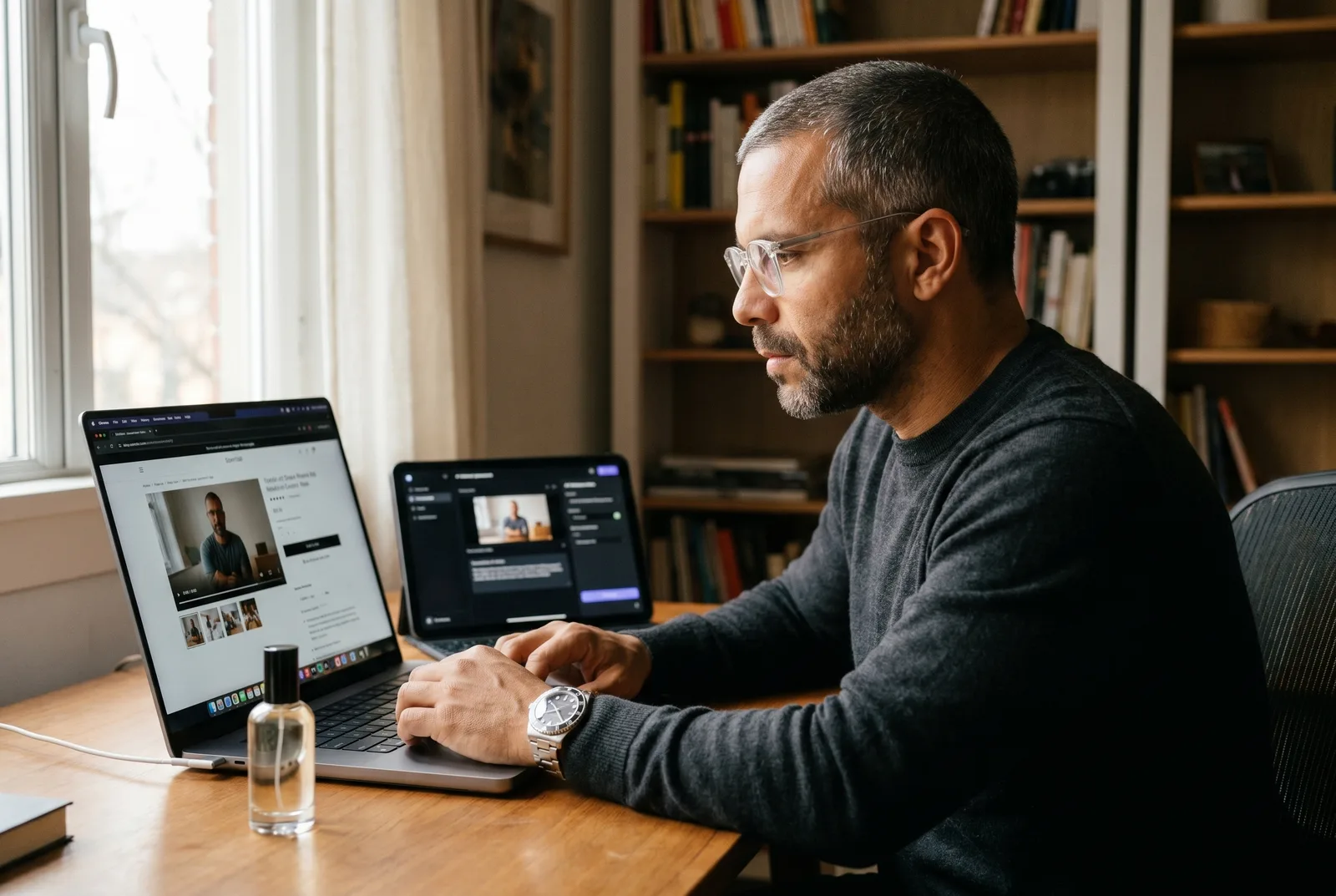
AI video for Amazon listings is the single highest-leverage upgrade you can make to a product detail page in 2026 — Amazon’s own data shows that pages with shoppable video saw an average 23.8% increase in sales versus pages without it. You no longer need a $500 to $5,000 per-SKU shoot to capture that lift. A multi-model AI studio gets you a policy-safe, spec-correct listing video in an afternoon.
This is a build guide, not a tool ad. You’ll get the verified sales-lift data by category, the four video slots on a listing and which to build first, the exact specs and eligibility gates, a step-by-step production workflow, the 12-to-25-second structure that converts, and the 2026 AI-disclosure rules every seller needs to know. It pairs with our broader work on making money with AI video for ecommerce.
Table of Contents
- Does video actually move the needle on Amazon?
- The 4 video slots on an Amazon listing
- What you need before you can add video
- How to make an AI video for your Amazon listing
- The 6-second rule and the structure that converts
- Is AI video allowed on Amazon?
- AI video vs a traditional Amazon product shoot
- Frequently Asked Questions
Does video actually move the needle on Amazon?
Yes — and Amazon publishes the number itself. According to Amazon’s own seller data, product detail pages with shoppable video saw an average 23.8% increase in sales compared to pages without video. That is a first-party figure from the platform that owns the conversion event, not a third-party estimate.
The lift is not uniform. It concentrates in categories where shoppers need to see the product work before they trust it.
The headline number: 23.8% average sales lift
The 23.8% figure is an average across categories from Amazon’s internal data. Treat it as the baseline expectation, not a ceiling. A page that currently has no video and weak imagery typically captures the most upside, because video fills the trust gap that flat photos leave open.
Front-load this number when you brief stakeholders. It is the cleanest, most citable stat in the entire Amazon merchandising playbook.
Lift by category
The category breakdown is where the real targeting decision lives. Amazon’s data shows the highest lifts in visual, demonstration-heavy categories:
| Category | Average sales lift with video |
|---|---|
| Toys | 32.7% |
| Apparel | 30.5% |
| Home products | 26.7% |
| Beauty | 25.8% |
| All categories (average) | 23.8% |
All figures are from Amazon’s product-video data. If you sell in toys, apparel, home, or beauty, the math for adding video is overwhelming. If you sell in a lower-lift category, video still helps — it just competes harder against other optimizations for your time.
Where the lift comes from
The 23.8% is not magic; it is two mechanisms stacking. First, video lifts click-through from search. Velocity Sellers, an Amazon agency, reports detail-page CTR from search-results video modules running 8 to 18% higher on average across the brands they manage (their own client-account data, not Amazon’s).
Second, video lifts on-page conversion. Per the same Velocity Sellers analysis, shoppers who play a product video are higher-intent by definition, and their unit-session rate runs roughly 2 to 3 times the PDP average. The shopper who presses play is already most of the way to buying.
The 4 video slots on an Amazon listing
An Amazon listing has four distinct video slots, and they are not equally valuable — build the main-image carousel video first. It is the only slot that influences shoppers before they click into your page, because it surfaces in the search-results video module. The other three reinforce conversion once the shopper has already arrived.
Here is the decision order, highest-leverage first.
Main-image carousel video (Slot 1)
This is the video that appears in the product’s main media gallery alongside the hero images, and it surfaces in search-results video modules. It delivers the highest combined CTR and conversion lift — the 8 to 18% CTR lift and 2-to-3× unit-session rate Velocity Sellers measured apply to this slot. Build it first, every time.
It also has the loosest eligibility gate (no Brand Registry required), so it is the fastest slot to ship.
Image-stack videos (Slots 2 to 9)
Beyond the main video, you can place additional shoppable videos within the image gallery — Amazon allows up to four shoppable videos per ASIN total. These reduce conversion leakage: a shopper who scrolls past the hero shot but isn’t sold yet hits a sizing demo, an unboxing, or a use-case clip that closes the gap.
Use these for objection-specific content — the questions your reviews keep asking.
A+ Content / Premium A+ video
A+ Content is the branded module below the fold, and video inside it is available only in Premium A+ Content, per Amazon’s video module requirements. A dedicated A+ video module adds incremental conversion on top of the carousel video’s gains, with Brand Story video reinforcing the buy decision in premium categories.
It stacks on the carousel — it doesn’t replace it. Build it second, once you have Premium A+ eligibility.
Sponsored Brands video (the one paid slot)
This is the only paid video slot, and it is where Amazon’s own free tool lives. Amazon’s AI Video Generator produces ad-ready videos optimized for Sponsored Brands and Brand Stores — six options in under five minutes, free, currently U.S.-marketplace and English-only.
Crucially, that free generator does not make your main-image carousel or A+ listing video. It only feeds this paid ad slot. For the organic listing slots, you supply your own production.
What you need before you can add video
Before you can upload, confirm two things: account eligibility and the technical spec. The carousel slot has a low gate; A+ video has a higher one. Get these right before you generate a single frame, or you’ll re-export to fix a spec mismatch.
Eligibility
For the main-image carousel and image-stack videos, Amazon requires a Professional selling plan, at least three months of selling history, and live product listings. No Brand Registry needed.
For A+ Content video, you need Brand Registry (which requires an active registered trademark) plus Premium A+ eligibility. That is the higher gate, which is why the carousel is the starting point for most sellers.
Technical specs
The carousel and image-stack spec is well-documented. Build your export to match it exactly:
| Spec | Carousel / listing video |
|---|---|
| Format | .mov or .mp4 |
| Resolution | Up to 1080p (highest available recommended) |
| Length | 1 to 12 minutes |
| Max file size | 5 GB |
| Thumbnail | .jpg, .png, .gif, or .bmp |
Specs per Amazon’s product-video requirements. A+ Content video uses MP4 and is Premium-A+-only; upload the highest resolution your source allows rather than the bare minimum, so the content doesn’t look dated next to crisp competitor pages.
The image-count gotcha
Here is the rule that trips up sellers: the main media block only displays a video when the listing has fewer than six images. If you’ve maxed out your image slots, your carousel video won’t surface in the main block.
And remember the hard ceiling — a maximum of four shoppable videos per ASIN. Plan your four slots deliberately: one hero demo, then three objection-killers.
How to make an AI video for your Amazon listing
You can produce a complete, policy-safe listing video in four steps using a multi-model AI studio — no shoot, no crew, no rented studio. The key advantage of a studio like Playcut over a single-purpose “paste your Amazon URL” tool is model routing: stills, motion, and a demo presenter each come from the model best suited to that job, inside one workspace.
This is the build workflow our team uses for ecommerce clients.
Step 1: Write the script around the 6-second rule
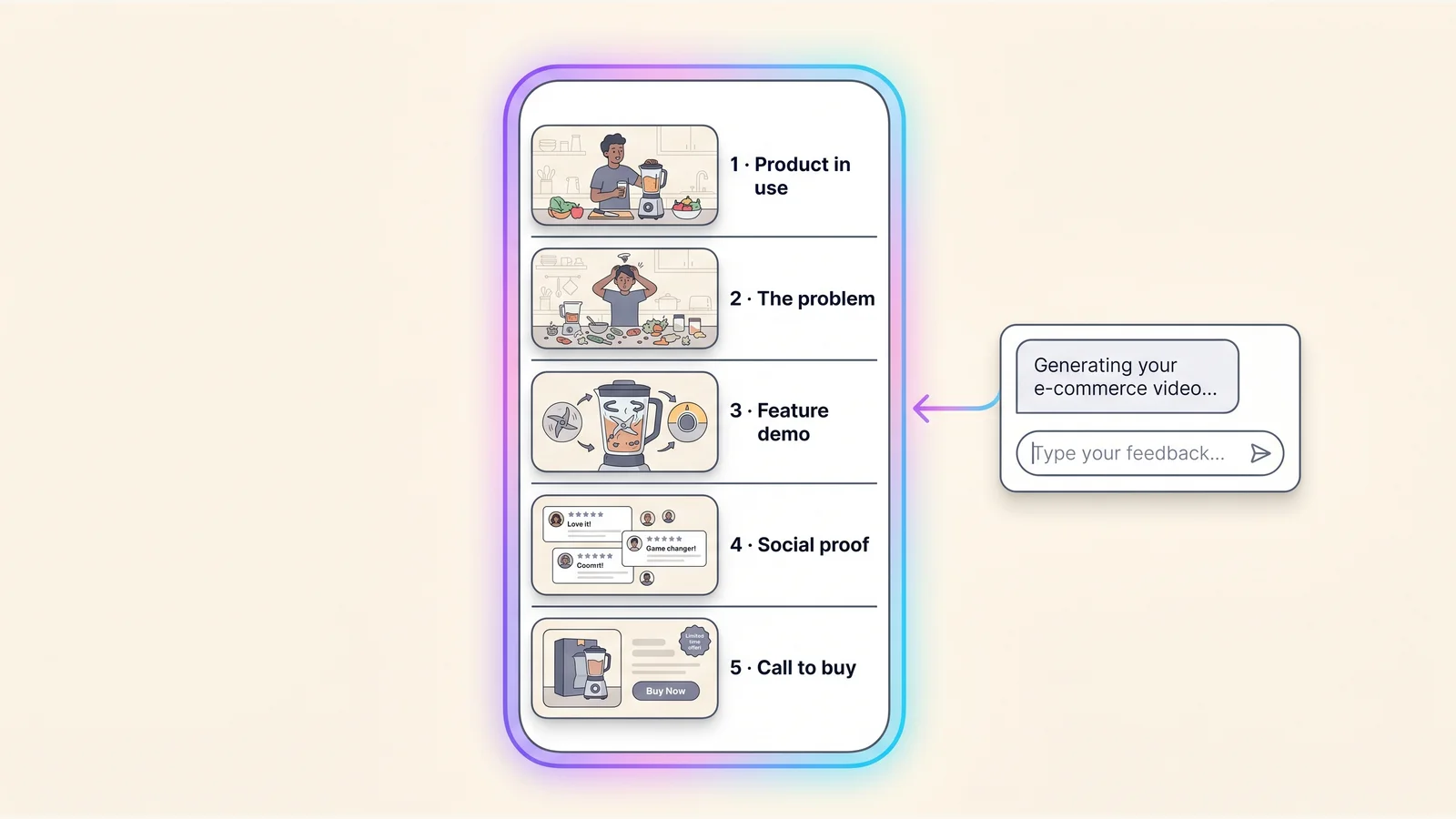
Start with structure, not visuals. Plan a 12 to 25 second script where the product is visibly solving its core problem before second six (the rule we break down in the next section). Map each beat: problem, detail, objections, proof, call-to-buy.
Draft the beats in plain language first. A free shot list generator helps you turn that script into a per-shot plan before you generate anything.
Step 2: Generate the visuals
Now route each shot to the right model. Render product hero stills with Imagen for crisp, accurate-to-life packaging and detail shots. Generate motion and in-use demo footage with Veo for the seconds where the product has to do something on screen.
For a hands-on demonstration — a person holding, opening, or using the product — cast a consistent AI actor so the same presenter appears across every shot and every future video for that SKU. Our AI product photography guide covers how to keep generated packaging true to the real item, which is also the compliance line you must not cross.
Step 3: Add voiceover, captions, and a call-to-buy
Layer audio and text. Add a clear voiceover that names the problem and the payoff. Burn in captions — most Amazon video plays start muted, so sound-off comprehension is non-negotiable.
Close with an explicit call-to-buy plus the two or three specs that matter most (size, material, compatibility). The shopper who reaches second 20 wants permission to add to cart.
Step 4: Export to spec and upload to Seller Central
Export as .mp4, up to 1080p, under 5 GB for the carousel. The free video bitrate calculator solves between bitrate, duration, and file size so you keep maximum quality while staying far under the cap. Upload through Seller Central to the listing’s main media block (remember the fewer-than-six-images rule), then add image-stack videos and your Premium A+ module if eligible.
Iterate per ASIN. Because each clip costs a few dollars of generation credit rather than a shoot day, you can give every SKU in your catalog its own video — see the AI video credit calculator to estimate cost across a full catalog.
The 6-second rule and the structure that converts
The 6-second rule states that whatever your product does, it must be doing it on screen before second six — not your logo, not a lifestyle establishing shot, the actual product solving the actual problem. This is the single most cited structural guideline in Amazon video, from Velocity Sellers’ product-video strategy.
The shopper who plays your video is already higher-intent — don’t waste their first six seconds on branding they’ll get from the listing anyway. Here is the 12-to-25-second structure that performs.
Seconds 0 to 2: product solving the specific problem
Open on the product in use, doing the one thing the buyer searched for. No slow build. The first frame should answer “is this the thing I need?”
Seconds 3 to 6: unique detail shot
Cut to the detail that justifies the price — the stitching, the seal, the material grain, the mechanism. This is where Imagen-rendered close-ups earn their keep.
Seconds 7 to 12: top two objections answered visually
Show, don’t tell, the two objections your reviews and Q&A raise most — sizing, durability, compatibility, ease of setup. Visual objection-handling converts better than a bullet point.
Seconds 13 to 18: social proof
Layer a rating, a review count, or a use-in-context moment that signals other people bought this and were happy. Keep any claims honest and substantiated.
Seconds 19 to 25: call-to-buy plus specs
Close with the call-to-buy and the two or three specs that finalize the decision. End on the product, not a logo card. The last frame is the one the shopper carries into the add-to-cart click.
Is AI video allowed on Amazon?
Yes — Amazon does not prohibit AI-generated video on listings, but the content must accurately and realistically represent the product. Per a 2026 analysis of Amazon’s image and video requirements, there is no rule banning AI generation itself; AI content is held to the same accuracy and IP-compliance standards as a camera shoot.
This is the section thin tool landing pages skip — and it is the one that protects your account.
What is banned
The line is misrepresentation, not the tool. Because Amazon requires content to accurately represent the product, the following will get a listing suppressed regardless of how it was made:
- Fabricated size or scale — showing the product bigger, smaller, or in proportions it doesn’t have
- Non-existent colors or features — rendering a variant or capability the buyer won’t receive
- Fake before/after comparisons — implying results the product can’t deliver
- Fake review or testimonial imagery — synthetic “customers” presented as real, which also runs into the FTC’s 2024 final rule banning fake reviews and testimonials
If your AI video shows the real product doing the real thing, you are inside policy. If it shows a fantasy version, you are not — same as with a misleading photograph.
The 2026 disclosure shift
Amazon’s guidance has tightened on disclosure. Per a 2026 reading of Amazon’s image policy, sellers are expected to disclose when listing visuals are substantially generated or significantly enhanced by AI — content where AI creates major visual elements not captured through traditional photography. The recommended placement is near the beginning of the product description.
Treat disclosure as standard practice now, not an edge case. Build to spec, represent the product honestly, and disclose substantial AI generation, and your AI listing video is compliant.
AI video vs a traditional Amazon product shoot
The cost difference is the whole argument: a traditional per-SKU shoot runs $500 to $5,000, while an AI studio produces a comparable listing video for a few dollars of generation credit per clip. That gap is what makes per-ASIN video viable across an entire catalog instead of just your top sellers.
This is a buyer-side cost comparison — what video costs you — not what you’d charge a client for the work.
Traditional shoot: $500 to $5,000 per SKU
A produced video shoot carries real fixed costs: studio or location, crew, talent, props, editing. Industry production estimates put a single polished product video in the $500 to $5,000 range depending on scope. For a catalog of 50 SKUs, that is a five-figure-to-six-figure line item, so most sellers ration video to their best products.
Done-for-you AI video agencies sit in a middle tier — cheaper than a shoot, more than self-serve, with the convenience of handing it off.
AI studio: a few dollars per clip, iterable at scale
A multi-model studio inverts the economics. Each clip costs generation credit measured in dollars, not a shoot day, so the marginal cost of giving SKU number 50 its own video is roughly the same as SKU number one. You can also re-cut the same source for the carousel, the image stack, and a Sponsored Brands ad.
That is the unlock for catalog-scale sellers: video on every listing, not a chosen few. If you’re building this into a service for other sellers, our work on AI models for brands covers the agency-side workflow and brand-kit setup.
Frequently Asked Questions
Does adding video to an Amazon listing really increase sales?
Yes. According to Amazon’s own data, product detail pages with shoppable video saw an average 23.8% increase in sales versus pages without video, with toys (32.7%) and apparel (30.5%) seeing the highest lifts. The gain comes from higher search click-through and higher on-page conversion, since shoppers who play a video are higher-intent. It is the most reliably impactful single change you can make to a PDP.
Is AI-generated video allowed on Amazon listings?
Yes. Amazon does not prohibit AI-generated video, but it must accurately represent the product — no fabricated size, colors, features, or fake before/after results. As of 2026, Amazon’s guidance also expects disclosure when listing visuals are substantially AI-generated, placed near the top of the product description. Build honestly and disclose, and AI video is policy-safe.
How long should an Amazon listing video be?
For the main-image carousel, keep it to 12 to 25 seconds and show the product solving its problem before second six, even though Amazon’s spec technically allows 1 to 12 minutes. Premium A+ video modules can run longer because the viewer has already committed to the page. Tight beats win on a slot where shoppers are mid-scroll.
What are the video specs for an Amazon listing?
The carousel and image-stack spec is .mov or .mp4, up to 1080p, 1 to 12 minutes, and a maximum of 5 GB, with a .jpg, .png, .gif, or .bmp thumbnail. You can add up to four shoppable videos per ASIN, and the main media block only shows a video when the listing has fewer than six images. A+ Content video uses MP4 and is available only in Premium A+.
How much does AI video cost compared to a traditional shoot?
A traditional per-SKU shoot runs roughly $500 to $5,000, while an AI studio produces a comparable listing video for a few dollars of generation credit per clip. That makes per-ASIN video viable at catalog scale — every SKU can have its own video instead of rationing a shoot budget across top sellers. It is the core reason AI video has taken over ecommerce listing production.
Conclusion
AI video for Amazon listings turns a 23.8% average sales lift — Amazon’s own number — from a top-seller luxury into a catalog-wide default. Build the main-image carousel video first, follow the 12-to-25-second structure that front-loads the product before second six, hit the .mp4/1080p/5 GB spec, and disclose substantial AI generation to stay policy-safe.
The slot map, the data, and the compliance rules are now in one place — most tool pages give you none of them.
Ready to build your first one? Start free in the Playcut studio — route Imagen for stills, Veo for motion, and a reusable AI actor for the demo, all in one workspace. For the wider ecommerce playbook, see how to direct a consistent AI actor for product demos and how AI product photography keeps your generated visuals true to the real item.
Related guides: running a Shopify store too? See AI video for Shopify. If you produce listing video for clients, how much to charge for AI video and AI video agency services cover the rate card. Part of our make money with AI video series.