
Playcut vs Runway: Full Comparison for 2026
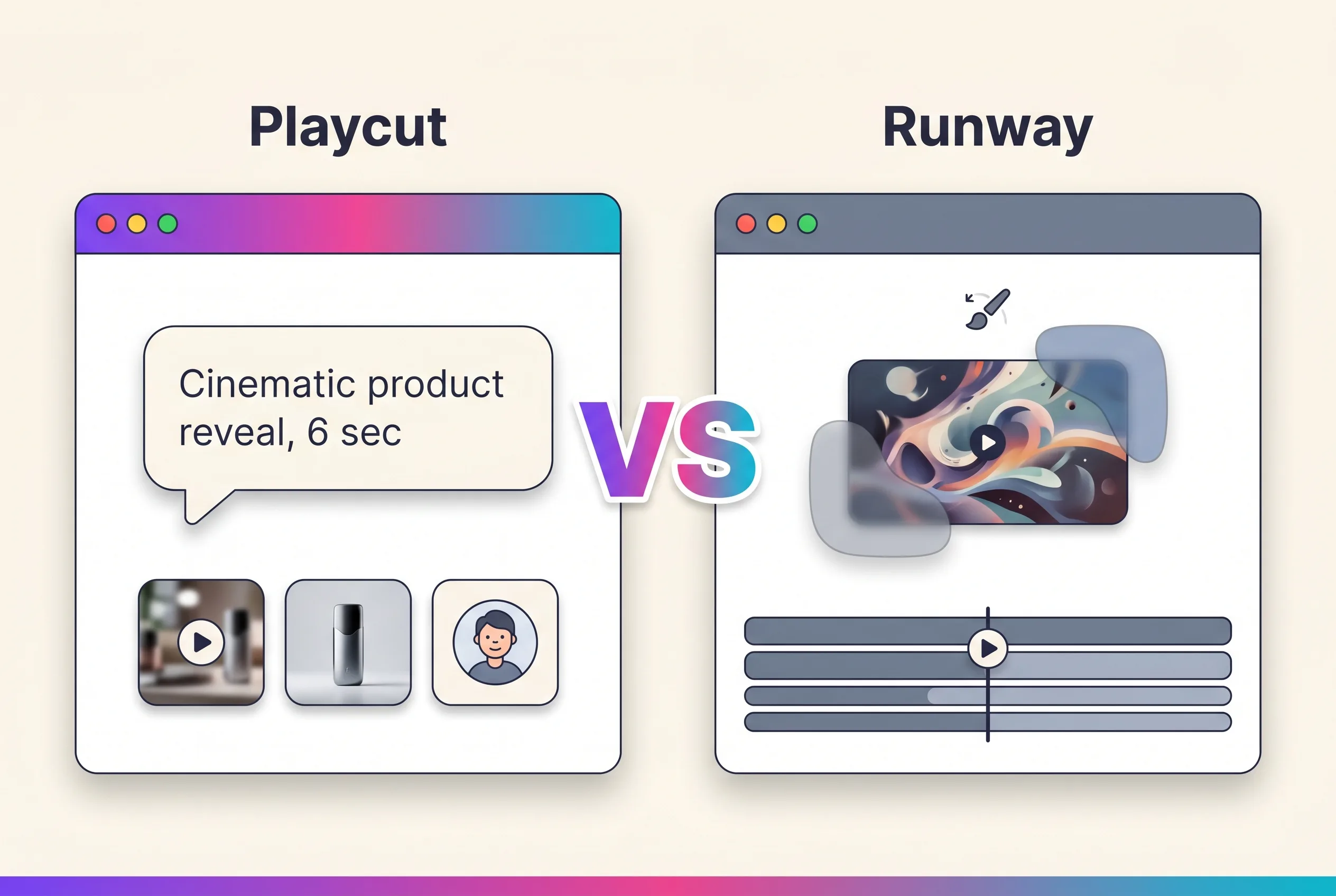
Playcut vs Runway is the question every creator asks when picking an AI video tool in 2026. Both are serious products, both ship cinematic generation, and both are growing fast. But they take very different approaches: Runway is an editing-first single-model tool, Playcut is a studio-first multi-model platform.
This guide compares Playcut and Runway across models, pricing, workflow, team features, and creative output — so you can pick the one that fits how you actually work.
Table of Contents
- Quick Comparison Table
- Models & Generation Quality
- Pricing
- Workflow Philosophy
- Team & Workspace Features
- Brand Kits & AI Actors
- Image Generation
- Use-Case Fit
- Verdict
- Frequently Asked Questions
Quick Comparison Table
| Feature | Playcut | Runway |
|---|---|---|
| Cinematic video model | Google Veo 3.1 | Runway Gen-4.5 (Gen-3 retired) |
| Image generation | Nano Banana 2 + Nano Banana Pro + Grok Imagine | Limited |
| Reference-style video | Yes | Yes |
| Video extension | Yes | Yes |
| Motion brush / masks | — | Yes |
| AI actor library | Yes (Photoshoot + Act pipeline) | — |
| Workspaces & team folders | Yes | Limited |
| Multi-brand brand kits | Yes | — |
| Starting paid tier | $9/mo (Hobby) | $12/user/mo (Standard, annual) |
| Top tier | $149/seat Agency (∞ seats) | $76/user/mo Unlimited (up to 10 users) |
| Trial | 7-day on selected plan (card required) | Limited |
Models & Generation Quality
Playcut: Veo 3.1 + Nano Banana Pro + Grok + Qwen + Lyria
Playcut is model-agnostic by design. Cinematic video routes to Google Veo 3.1. Budget video routes to Grok Imagine Video. Flagship images route to Nano Banana Pro (4K). Budget images route to Grok Imagine. Voice runs through Qwen, Inworld, or Gemini TTS. Music runs through Lyria 3. As new models ship, Playcut adds them.
In practice, this means you don’t pick the model — Playcut picks for you based on the task. Cinematic motion request? Veo 3.1. Photorealistic 4K still? Nano Banana Pro. Budget-quality clip? Grok Imagine Video.
Runway: Gen-4.5
Runway is built around its in-house Gen-4.5 video model and post-production tooling. (Gen-3 was retired in favor of Gen-4.5.) Gen-4.5 is genuinely good — strong motion fidelity, decent prompt adherence, fast iteration. Runway Pro at $28/user also unlocks Gen-4 Turbo, which delivers strong volume-per-credit on budget shots. But it’s still a single-vendor video stack. If you want a different style, image flagship like Nano Banana Pro, or an AI Actor system, you’re out of luck inside Runway.
If you do run Gen-4.5 day to day, the free Runway prompt generator structures text-to-video and image-to-video briefs into the concise, cinematic prompt variants Gen-4 responds to.
Verdict on Models
If you want best-in-class cinematic motion, both Veo 3.1 and Gen-4.5 produce strong results. The differentiator isn’t quality at peak — it’s flexibility. Playcut’s multi-model routing means you’re never stuck with one vendor’s blind spots, and you also get a first-class AI actor system that Runway doesn’t ship at all.
Pricing
Playcut Pricing (v2 — launched 2026-05-27)
| Plan | Price | What you get |
|---|---|---|
| Hobby | $9/mo | 500 credits, 3 custom AI actors, 1 seat, every model |
| Pro | $29/mo | 2,000 credits, 10 custom actors, 1 seat, every model + Act pipeline |
| Studio | $79/mo | 6,000 credits, 25 custom actors, 4 seats ($19.75/seat), shared workspace |
| Agency | $149/seat/mo | 10,000 credits/seat, unlimited custom actors, unlimited seats, multi-brand kits |
Annual billing saves 17% (2 free months).
Runway Pricing (verified 2026-05-27)
| Plan | Price | What you get |
|---|---|---|
| Free | $0 | Limited generations |
| Standard | $12/user/mo | 625 credits, up to 5 users |
| Pro | $28/user/mo | 2,250 credits, Gen-4.5, up to 10 users |
| Unlimited | $76/user/mo | 2,250 credits + Explore Mode unlimited, up to 10 users |
| Enterprise | Custom | Bulk credits, SSO |
Annual prices shown above. Runway markets these as the headline numbers.
How Credits Compare
Runway’s credits are video-heavy — a single 10-second Gen-4.5 clip burns a meaningful share of your 625-credit Standard allowance, though Gen-4 Turbo stretches that further. Image generation is cheaper. Playcut’s flat-tier credits cover all generation types — text-to-image (Nano Banana 2 / Nano Banana Pro / Grok Imagine), video (Veo 3.1 / Grok Imagine Video), reference, extension, voice (Qwen/Inworld/Gemini), music (Lyria 3), and the Actor Act pipeline — without paying for a separate image or voice tool. Read our Playcut pricing guide for the full breakdown.
Verdict on pricing: Playcut Hobby $9 beats Runway Standard $12 by $3 at the entry tier — and Hobby ships every Playcut model (Veo 3.1, Nano Banana Pro, voice, music) plus 3 custom AI actors. Runway Standard is video-credits-only. At Pro, the two are essentially matched ($29 vs $28), but Playcut Pro adds the AI Actor library, Photoshoot, Act pipeline, 4K image generation, voice, and music — Runway Pro doesn’t ship any of that. At Studio $79 / 4 seats ($19.75/seat) Playcut is the cheapest 4-seat plan in the category. If you need raw Gen-4 Turbo video volume specifically, Runway Pro is a serious deal; for everything else — actors, brand kits, image, voice, music, team architecture — Playcut wins on bundled scope.
Workflow Philosophy
Playcut: Studio-First, Chat-Driven
Playcut is built around a single chat surface. You describe a shot, image, or extension. Playcut routes to the right model. Multiple takes generate in parallel. You compare, iterate, save.
Brand kits, AI actors, and team folders are wired into the chat — tag a brand kit on a prompt, pull an AI actor from the library, save to a Team folder.
Runway: Editor-First, Tool-Driven
Runway is built around an editor canvas. You generate clips, then use a suite of tools — motion brush, masks, video-to-video, lip sync — to refine them. The interface is closer to a creative app than a chat.
This is genuinely powerful for editing-first workflows — re-cutting existing footage, adding motion to specific regions, doing surgical fixes. It’s less natural for studio-first workflows — running a brand campaign across many shots, many actors, many brand kits.
Verdict on workflow: Different philosophies. Runway is for editors and post-production hands. Playcut is for studios shipping campaigns at scale.
Team & Workspace Features
Playcut
Workspaces hold:
- Team folders — shared, every member can read + generate-into.
- Private folders — auto-created per user, for early drafts.
- Library entities — actors, voices, brand kits — workspace-shared by design.
- Creator-only mutation — only the creator can rename, move, or delete.
This means a 5-person agency team can work in one Playcut workspace without stepping on each other’s drafts.
Runway
Runway has a Workspaces feature, but it’s less deeply wired. Sharing assets and projects works, but Runway doesn’t have the same folder-level access control or shared library architecture. Built-in collaboration is lighter.
Verdict on team features: Playcut is the clearer winner for teams and agencies.
Brand Kits & AI Actors
Playcut Brand Kits
A workspace can hold many brand kits. Each one carries colors, typography, logo assets, and voice (tone, doSay, dontSay, brand story). Tag a kit on any generation and it propagates the brand context.
For agencies running multiple clients, this is the unlock — one Playcut workspace, five client brand kits, every generation tagged correctly.
Playcut AI Actors
Generate an actor once — appearance, voice, outfit variants — then reuse across every shoot. Workspace-shared, so your team pulls from a consistent character set.
Runway
Neither feature exists in Runway. You can save references and projects, but there’s no first-class brand kit or reusable AI actor abstraction.
Verdict: Brand kits and AI actors are Playcut’s clearest moats.
Image Generation
Playcut
Image generation routes to Nano Banana 2 (mid-tier), Nano Banana Pro (flagship, 4K), and Grok Imagine (budget). All ship 4K resolution on every plan with up to 16 reference images per generation.
You can generate hero images, product stills, mood boards, and reference inputs — and feed those into video prompts as reference images.
Runway
Runway has image generation, but it’s clearly secondary to its Gen-4.5 video. Quality and prompt adherence are notably weaker than Nano Banana Pro for stills.
Verdict on image gen: Playcut wins clearly.
Use-Case Fit
Pick Playcut if:
- You’re an agency or team shipping across multiple brands.
- You want one studio for image AND video AND voice AND music — not four tools.
- You need brand kits, AI actor reuse, or team folders.
- You want flat-tier pricing starting at $9/mo with every model included.
- You want flexibility across models (Veo 3.1, Nano Banana Pro, Grok, Qwen, Lyria) instead of single-vendor lock-in.
Pick Runway if:
- You’re a solo editor doing post-production work.
- You need motion brush, masks, video-to-video, or lip sync as core tools.
- You’re already deep into the Runway ecosystem (AI Film Festival, community).
- You prefer Gen-4.5’s specific aesthetic over Veo 3.1’s, or you need Gen-4 Turbo for high-volume budget video.
Verdict
Playcut and Runway are not direct substitutes. Runway is a video editor with AI generation built in. Playcut is a generation studio with team and brand workflow built in.
For most creators and agencies in 2026 — especially those shipping campaigns across many brands or shots — Playcut is the better fit. Multi-model routing, brand kits, AI actor reuse, and team folders make a real difference at scale.
For solo editors deep in post-production, Runway’s editing-first tooling is a real advantage. Use what fits.
Try Playcut → (pick a plan, card required, cancel anytime within the 7-day trial)
Frequently Asked Questions
Is Playcut better than Runway?
Playcut and Runway are different tools for different workflows. Runway is a single-model editor optimized for solo creators and post-production tooling. Playcut is a multi-model studio optimized for teams and agencies. If you want editing-first solo work, Runway. If you want studio-first team work, Playcut.
How does Playcut pricing compare to Runway?
Playcut v2 (launched 2026-05-27): Hobby $9, Pro $29, Studio $79 (4 seats = $19.75/seat), Agency $149/seat. Runway (verified 2026-05-27): Standard $12/user (up to 5 users, 625 cr), Pro $28/user (up to 10 users, 2,250 cr, Gen-4.5), Unlimited $76/user. Playcut Hobby $9 undercuts Runway Standard $12 by $3 AND ships every Playcut model plus 3 custom AI actors. Pro tiers are essentially matched ($29 vs $28); Playcut Pro adds the AI Actor library, Photoshoot, Act pipeline, image, voice and music — none of which Runway Pro has.
Does Playcut support image generation like Runway?
Yes — Playcut routes images through Nano Banana 2, Nano Banana Pro (4K flagship), and Grok Imagine (budget), all with up to 16 reference images per generation. Runway has image generation but it’s secondary to Gen-4.5 video. For image work, Playcut is the more capable surface.
Can I use Playcut for the same workflows as Runway?
For text-to-video, image-to-video, reference-style video, and video extension — yes, with Veo 3.1 (premium) and Grok Imagine Video (budget) as the underlying models. For Runway’s editing-first features (motion brush, masks, video-to-video tooling), Playcut takes a different approach centered on prompt-driven iteration and an AI actor system.
Which is better for agencies — Playcut or Runway?
Playcut is built for agencies. Multi-brand brand kits in one workspace, team folders with creator-only mutation rules, and the AI actor library. Runway is built for solo creators and editors.
Conclusion
If you’re an agency, marketing team, or creator who ships across multiple brands and shot types, Playcut is the studio you’ve been waiting for. If you’re a solo editor doing post-production work with motion brush and masks, Runway still has the edge. Most teams in 2026 will benefit more from Playcut’s multi-model studio and team architecture.
Start your Playcut 7-day trial → — pick a plan, card required, cancel anytime within the 7-day trial.
Next steps: Read What Is Playcut? for the full product overview, or compare against Pika, Kling, and Sora.